Fitness Bootcamp Software
Fitness Bootcamp Software That Runs the Stations, the Clock, and the Class Packs
Fit Viz fitness bootcamp software handles the business side - class booking, 6-week challenge packs, payments, check-ins - and the part every other platform ignores: the session itself. Synced interval timers and station-rotation displays run the floor indoors, and the same timer runs from a phone or tablet with audio cues when your floor is a park. Free booking and payments to start. No credit card.
- Free booking and payments
- Stripe/Payroc processing fees only
- Free migration from Gymcatch, TeamUp, and others
Built for bootcamps, not adapted to them
A bootcamp is the most operationally intense hour in fitness: twenty people, eight stations, 45 seconds of work, 15 of rest, rotate - and one coach running it all off a whistle, a stopwatch, and shouted instructions.
Generic bootcamp software books the class and stops there. Fit Viz is fitness bootcamp software where the stations, the intervals, and the rotations are part of the platform, so the coach coaches instead of operating a clock.
What's included
Everything below ships in the free tier unless marked Professional - complete bootcamp software from day one:
- 1.
Class booking and challenge packs. Recurring class schedules, drop-ins, punch cards - and the pricing model bootcamps live on: fixed-start programs like the 6-week challenge or 28-day transformation, sold as a pack with a start date, a roster, and automatic expiry. Waitlists promote automatically when a spot opens.
- 2.
Payments that collect themselves. Challenge packs, memberships, and drop-ins on autopay with failed-payment retries - Stripe/Payroc processing fees only, no platform fee on the free tier.
- 3.
Check-in. Roll call in one tap, attendance against the roster, streaks your members can see - the accountability engine every challenge runs on.
- 4.
Station and circuit displays. Build the circuit once and the workout display runs it: each station's movement on screen, who rotates where, what's next - the whiteboard and the shouting, retired. (Running it on gym TVs? The timed-class setup guide covers three setups from free to fully synced.)
- 5.
Interval timers the whole class follows. Work/rest rounds, station rotations with transition warnings, AMRAP finishers - the workout timer runs them synced across every screen with audio cues the back row hears. Ratio programming for bootcamp and HIIT classes pulls from the same presets as our HIIT timer.
- 6.
Outdoor mode - the park is a floor too. No TV on the beach or in the parking lot: the timer and circuit run from your phone or a tablet, audio cues included, and check-in works from the same device. The only bootcamp gym software layer that follows the class outside.
- 7.
Heart rate zones, live. For intensity-coached sessions, heart rate zones on the display turn "push harder" into something members can see.
- 8.
A branded member app. Booking, packs, streaks, and schedules under your bootcamp's name - not a vendor's.
- 9.
No marketplace. Your members book your classes in your environment - never shown a competing gym between sessions.
Bootcamp gym software for indoor floors
Indoor bootcamp gym software has one job beyond booking: keep eight stations and twenty people synchronized without the coach narrating every transition. Call it bootcamp or boot camp software - the floor problem is the same.
Fit Viz puts the full circuit on the room's screens - stations, movements, the rotation map, the clock - so a single coach runs a floor that used to need two.
Hybrid facilities running bootcamp beside CrossFit, Hyrox or HIIT classes keep one member database and one app across formats (Fit Viz CrossFit software covers that side of the house).
For outdoor and park instructors
Half of bootcamp happens where there's no power outlet. Sessions in the park run from the phone in your pocket: the interval timer with audio cues, the circuit list, check-in, and payments - complete fitness bootcamp software that fits in a gym bag. When winter moves you indoors, the same classes, packs, and members move with you to the screens - one bootcamp software platform, every venue.
The honest comparison
Where competitors are strong:
- Gymcatch is a capable low-cost booking tool beloved by independent instructors;
- TeamUp brings mature booking and memberships with real depth;
- Wodify bundles bootcamp into its gym platform with add-on displays;
- Kilo pairs management with strong gym websites.
What none of them run is the session: no station displays, no synced interval timers, no outdoor mode - the floor layer is Fit Viz only, next to a genuinely free booking-and-payments tier. The full field is in our best bootcamp software comparison.
Pricing
- class booking
- challenge packs and fixed-start programs
- payments (Stripe/Payroc fees only)
- check-in
- core timers, indoors or out.
- full station display suite
- heart rate zones
- branded member app
- advanced reporting
- multi-location.
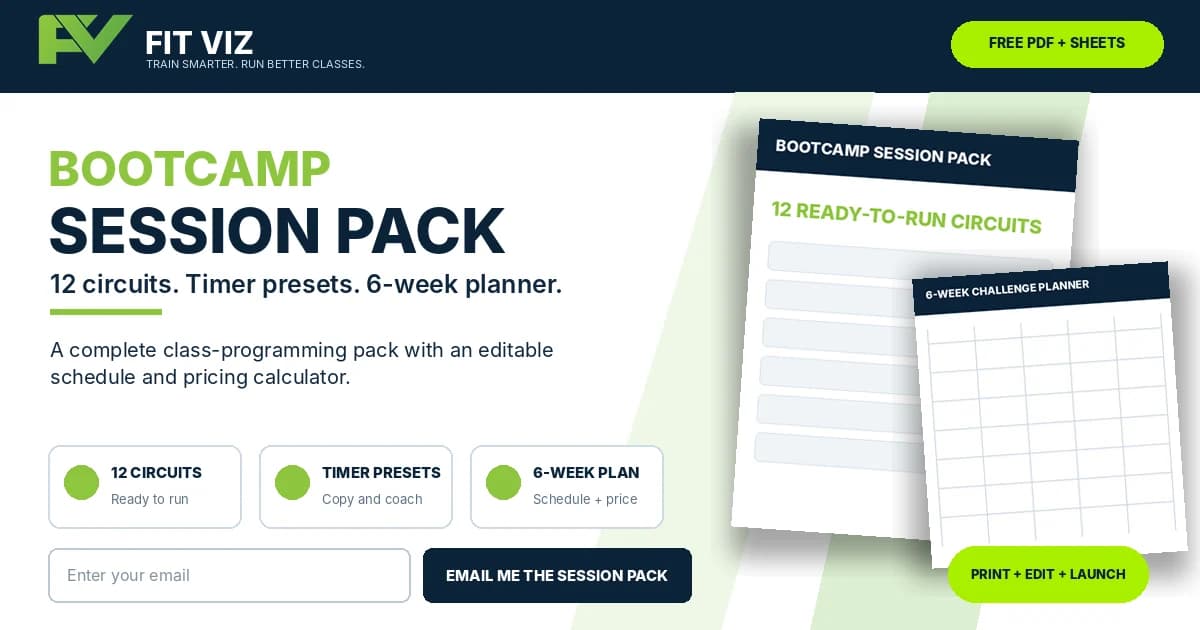
Get the Bootcamp Session Pack - 12 ready-to-run station circuits with timer presets, plus the 6-week challenge planner (schedule grid + pricing sheet), free.
Free Bootcamp Session Pack
Get 12 Ready-to-Run Bootcamp Circuits + the 6-Week Challenge Planner
Stop rebuilding every class, timer, and challenge from a blank page.
The free Fit Viz Bootcamp Session Pack gives you 12 complete station circuits you can coach immediately, plus the planning tools to turn those sessions into a structured six-week paid challenge.
Inside the free download:
- 1.12 ready-to-run station circuits
- 2.Copy-ready timer presets for every session
- 3.Strength, cardio, partner, EMOM, Tabata, athletic, hybrid, and benchmark formats
- 4.Equipment lists and room-setup guidance
- 5.Coaching cues and lower-impact scaling options
- 6.A printable six-week challenge schedule
- 7.A Google Sheets–compatible schedule grid
- 8.A challenge-pricing and break-even calculator
- 9.A roster, waitlist, and cohort-tracking dashboard
We’ll send the printable PDF and editable challenge planner directly to your inbox. You may also receive occasional bootcamp-programming, member-engagement, and gym-operations resources from Fit Viz. Unsubscribe anytime.
Getting started
- Day 1:Sign up, connect Stripe or Payroc, build the schedule and your first challenge pack.
- Day 2:We migrate members, packs, and attendance.
- Days 3-7:First classes run on the display (or the phone in the park).
- Day 8:The whistle retires.
Frequently asked questions
Fitness bootcamp software runs the business of a bootcamp - class booking, challenge packs and fixed-start programs, payments, check-ins - and, with Fit Viz, the session itself: station displays, synced interval timers, and rotation cues, indoors on screens or outdoors from a phone.
For booking alone, Gymcatch and TeamUp are capable; for the whole operation including the floor - stations, timers, and rotations on the room's screens - Fit Viz is the only bootcamp gym software with that layer native, on a free starting tier. The comparison covers the field.
Yes - outdoor mode runs the interval timer, audio cues, circuit list, check-in, and payments from a phone or tablet. Same classes and packs indoors and out.
Yes - fixed-start programs with a roster, a start date, automatic expiry, and autopay are a core pack type, alongside recurring memberships, punch cards, and drop-ins.
Yes - class booking, challenge packs, payments (Stripe/Payroc processing fees only), check-in, and core timers are free with no time limit. Professional adds the full display suite, heart rate zones, the branded app, and multi-location.
Yes - work/rest rounds, station rotations with transition warnings, and finishers run synced across screens or from a phone, with audio cues; bootcamp and HIIT ratio presets come from the same workout timer library.
Fit Viz covers the management layer - rosters, attendance, billing, coach schedules - and Professional adds multi-location reporting; it's fitness bootcamp management software and the session floor in one system.
Yes - class types keep their own schedules, packs, and timer presets on one platform, one member database, one app - one bootcamp software system across every format.
The class booked, the stations on screen, the rounds on time
That's a bootcamp running itself - in the gym or in the park. Fit Viz fitness bootcamp software - free to start.
Related Posts
CrossFit Software
Tracking + WOD App
- Best WOD app features
- Compare tracking + class delivery
- Group Fitness App Comparison: Top 10 Options Your Members Use
- Fitness Tech News: Cloud Fitness is the Core of Modern Training
- WOD Whiteboard Guide: Boards, Apps & Digital Displays
- BTWB Alternative
- Best Fitness Apps Android
- Partner WOD
- Add Workout on Iphone App