40+ Gym Whiteboard Ideas for 2026 (Plus the Digital Alternatives Replacing Them)
40+ gym whiteboard ideas for WODs, leaderboards, motivation, and home gyms; plus the digital gym whiteboard alternatives replacing markers with photos & videos in 2026
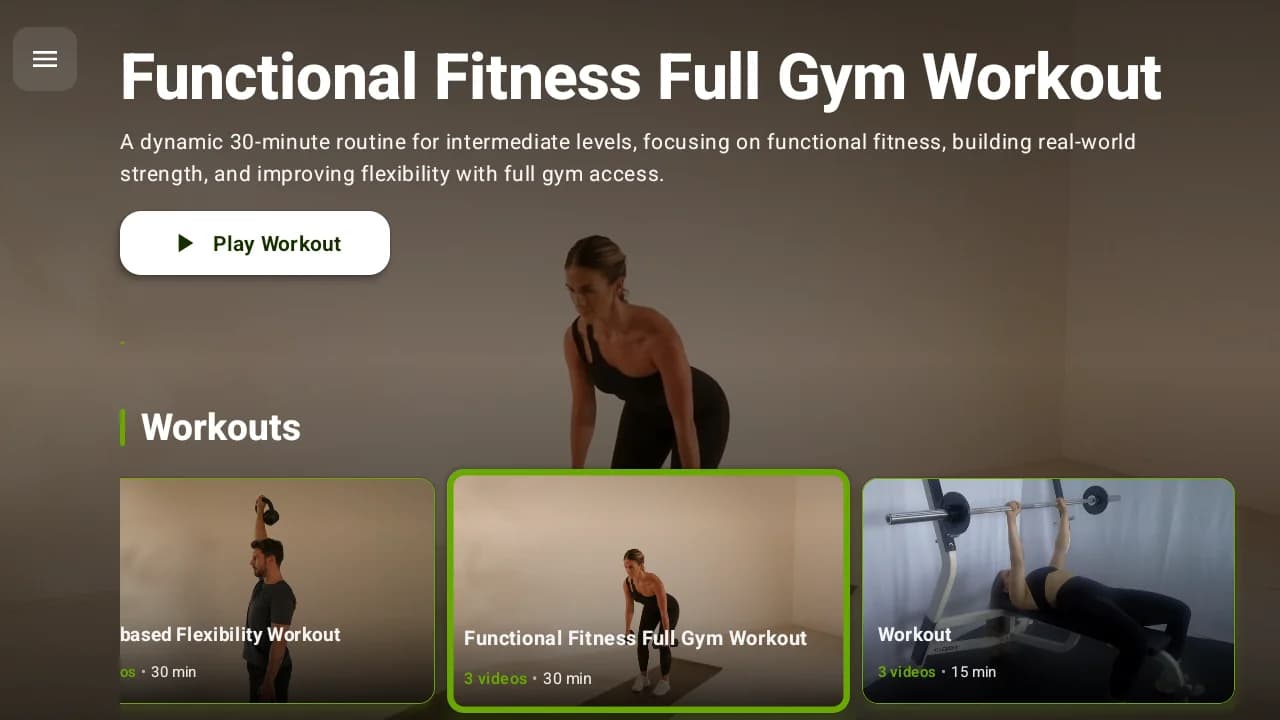
The gym whiteboard is still the visual heart of most training spaces; the place where the day's workout, the leaderboard, and the community live. This guide collects 40+ gym whiteboard ideas across five categories: workout display layouts, leaderboards and tracking, motivation and community, home gym setups, and organization systems. Then it covers the part every physical-board listicle skips: the digital gym whiteboard alternatives that gyms are switching to when markers stop scaling; and how to run a hybrid of both.
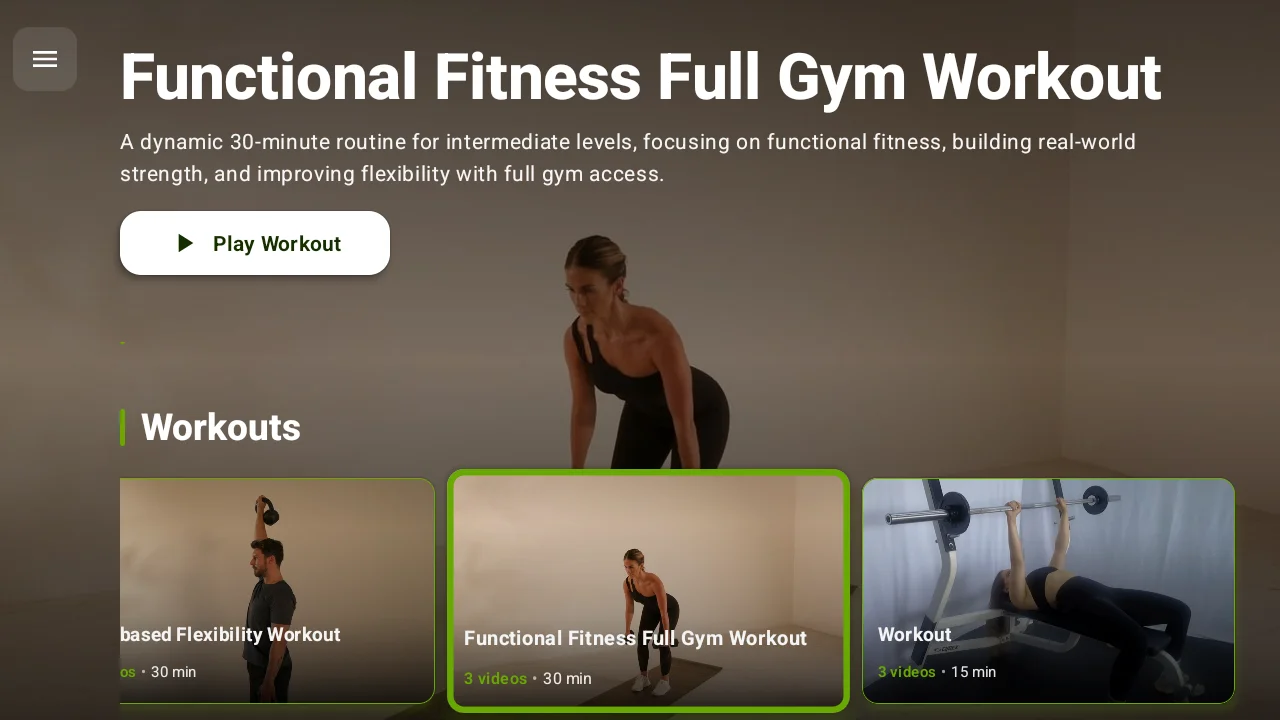
Every idea below works on a standard dry erase board, and many have a one-click digital equivalent on a workout display.
40+ Gym Whiteboard Ideas
Workout display ideas (1-8)
1. The classic three-block WOD layout. Divide the board: Warm-up / Strength / Conditioning. The structure members scan first; put it at eye height, biggest section in the middle.
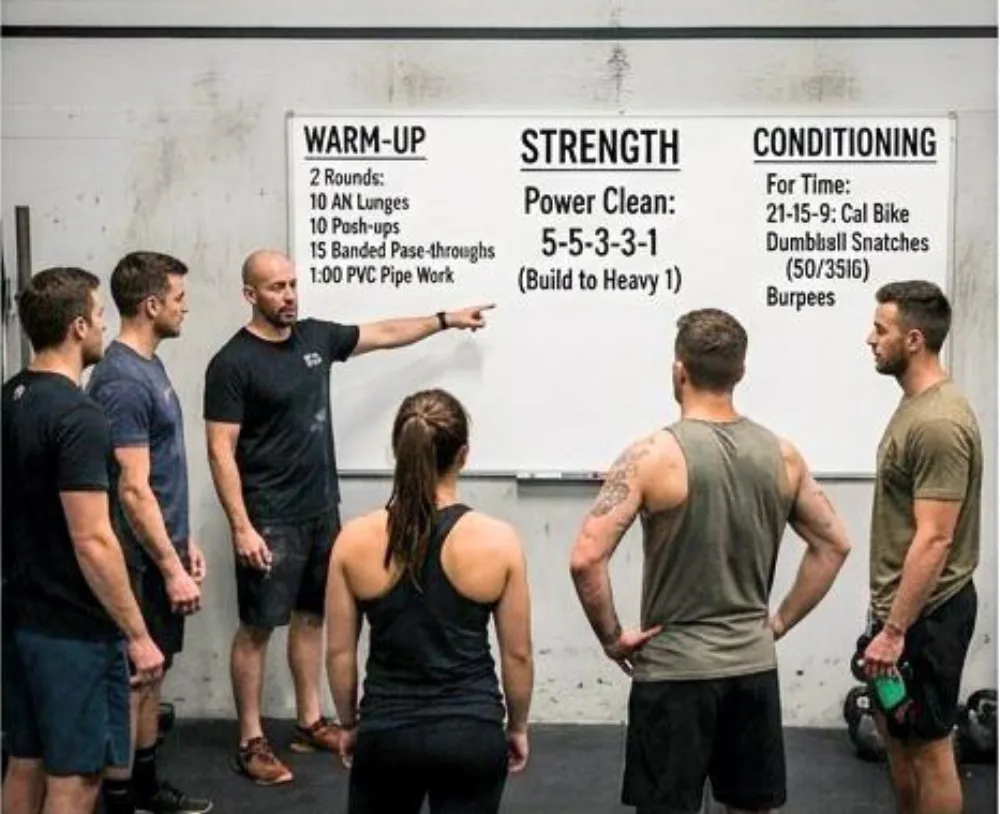
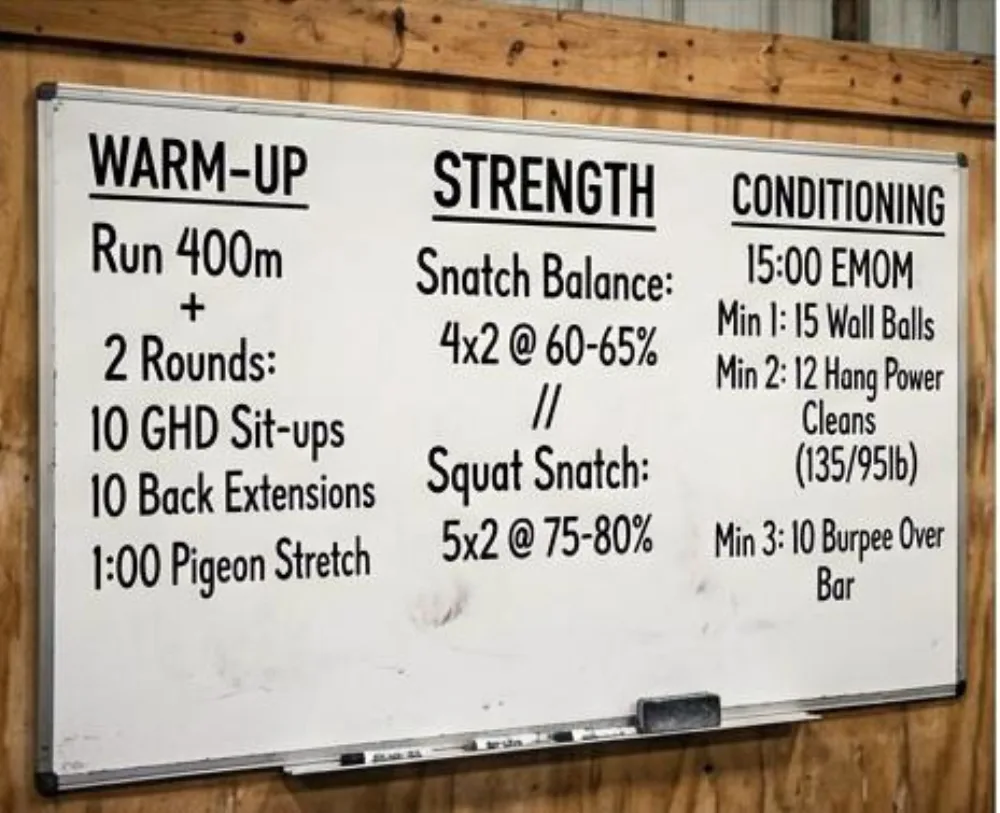
2. Rx / Scaled / Beginner columns. Three vertical tracks so nobody has to ask "what's the scaled version?" The single highest-impact gym whiteboard layout change for mixed-level classes.
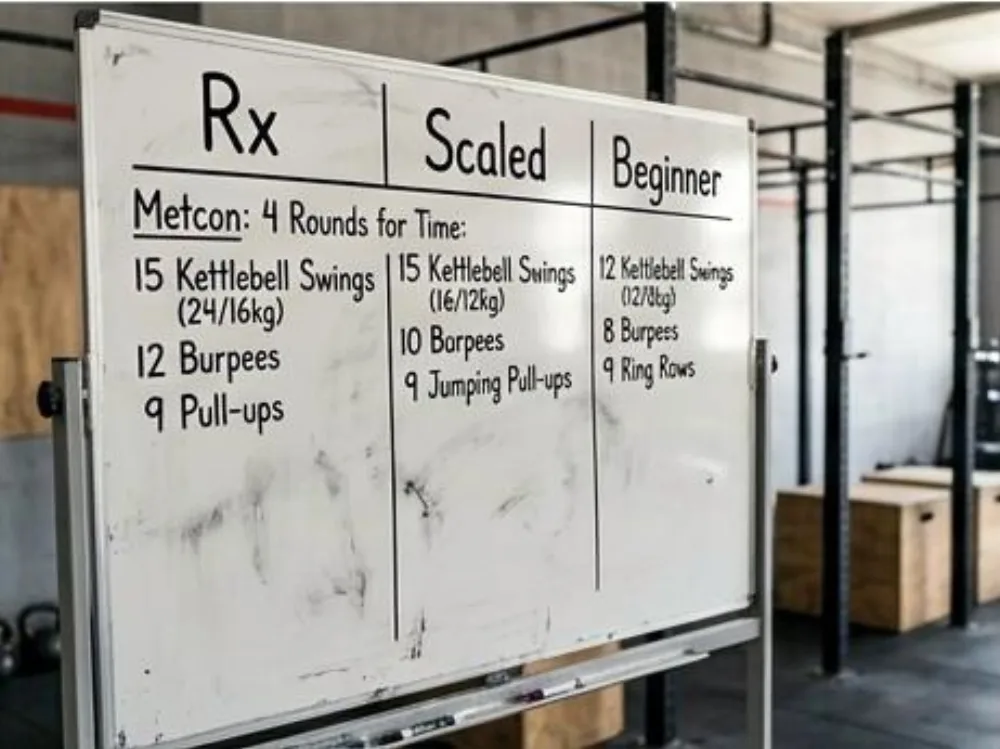
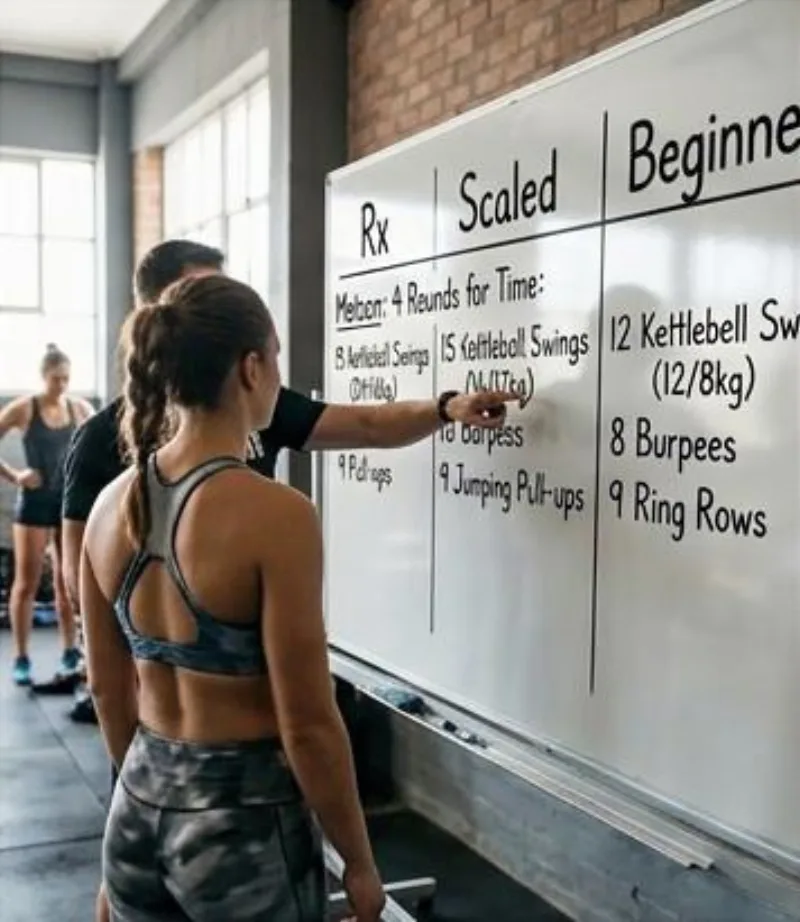
3. Movement-standards sidebar. A slim column listing standards for today's movements (depth, lockout, rep scheme). Cuts the same three questions from every class.
4. Timer-cue column. Cap times, rest intervals, and EMOM/Tabata structure listed beside the workout; or replaced entirely by an integrated workout timer that runs the intervals on screen.
5. QR demo corner. Print QR codes linking to movement demo videos and tape them to the board's corner. The analog bridge to what a workout display does natively.
6. Weekly programming preview strip. A horizontal band across the bottom showing Mon-Sat focus (squat day, engine day, benchmark Friday). Members who see the week plan attendance around it.
7. Benchmark-of-the-month box. One corner reserved for the month's benchmark WOD and the current top-3 times. Rotates monthly; drives repeat testing.
8. Coach's cue of the day. One technical cue, big letters, top corner ("knees out," "breathe at the top"). Members remember one thing; give them the right one.
Leaderboard & tracking ideas (9-16)
9. Daily leaderboard column. Right-hand column, names and scores as they finish. The original gamification; and the section a digital gym whiteboard automates with live sorting.
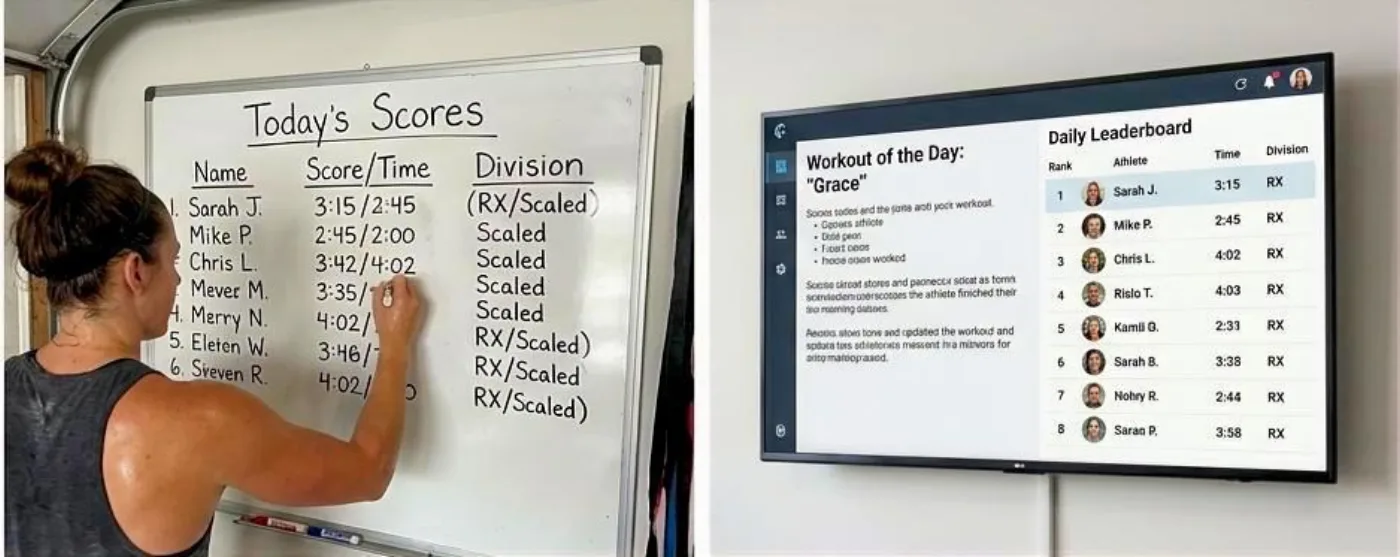
10. PR bell board. Ring the bell, write the PR: name, lift, number, date. Erase monthly; photograph first (idea #38).
11. Monthly challenge grid. Rows = members, columns = days. X per completed challenge day (row cal, burpee count). Visual streaks recruit stragglers.
12. Attendance streak ladder. Names climb rungs per consecutive week of 3+ visits. Retention made visible.
13. Heart-rate zone champions. Post the week's top zone-minutes from wearables; or stream it live to a screen with heart rate zones, where the leaderboard updates itself mid-class.
14. Million-meter club. Cumulative erg meters tracked monthly. Slow-burn goal that keeps the C2s busy in open gym.
15. Benchmark history wall. A permanent grid section: Fran, Grace, Helen, Murph columns; members add dated times. The analog version of what tracking apps like btwb digitized.
16. Partner WOD scoreboard. Team names, running tallies, bracket lines for throwdowns. Erasable drama.
Motivation & community ideas (17-24)
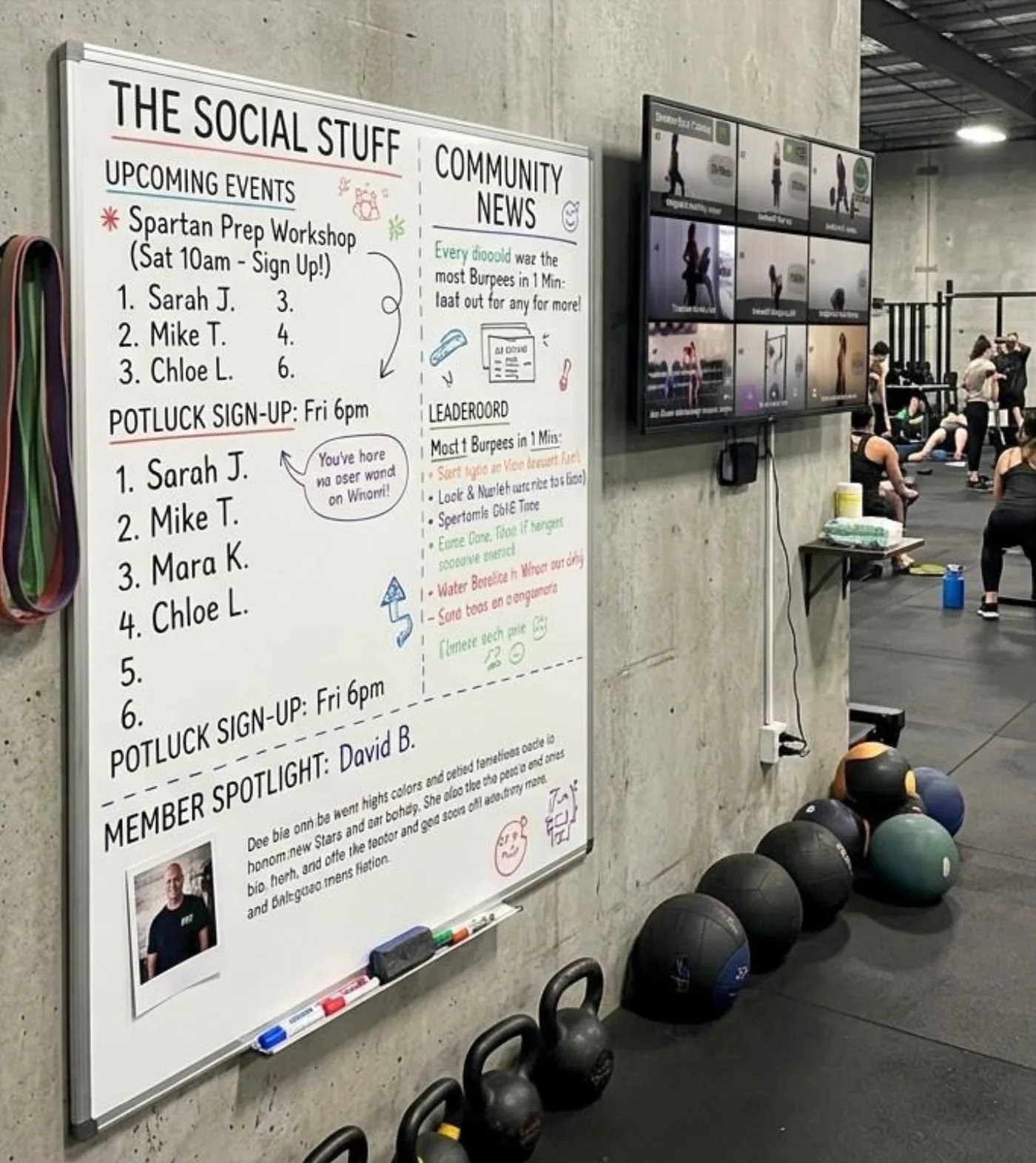
17. Member spotlight square. Photo + three lines: name, goal, favorite lift. Rotate weekly; new members feel seen.
18. Quote of the week. Skip the cliches; use a line from an actual member ("I just wanted to carry groceries without wincing; now I deadlift 225").
19. The goal wall. Members write one monthly goal in their own handwriting. Public commitment works.
20. Birthday & milestone shout-outs. Small dedicated corner. Costs nothing; means everything.
21. "Why I train" collage. Sticky notes, one reason each. The most-photographed square footage in the gym.
22. Community events calendar. Comps, socials, charity WODs. A gym whiteboard section that fills classes.
23. New-member welcome corner. Names of this week's newcomers so regulars greet them by name.
24. Charity WOD thermometer. Classic fundraising bar, colored in as donations climb.
Home gym whiteboard ideas (25-31)
25. Week-at-a-glance program tracker. Seven columns, planned vs done. The garage-gym staple from every r/homegym whiteboard thread.
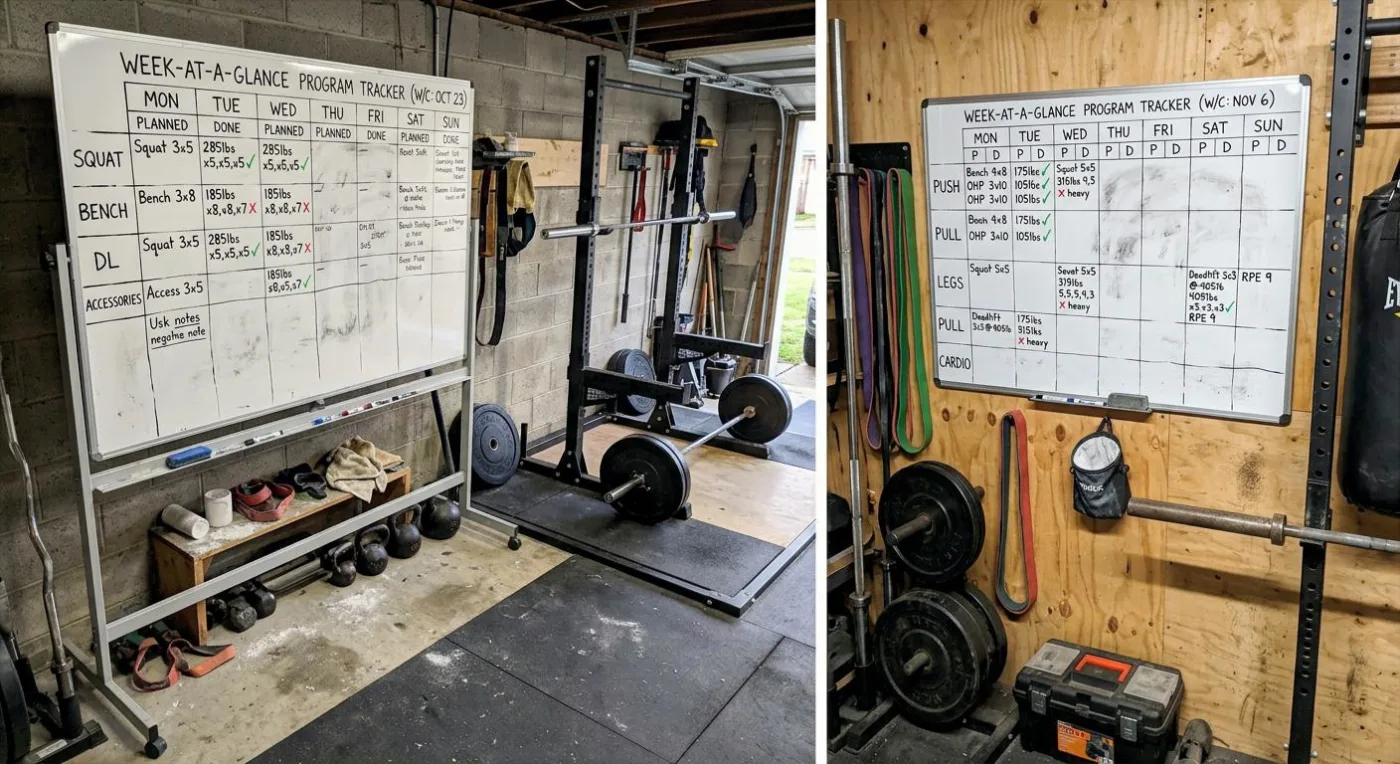
26. Home PR board. Lifts down the side, dated PRs across. Ten years of progress on 8 square feet.
27. Habit tracker grid. Sleep hours, protein, steps beside the training log; the whiteboard as dashboard.
28. Interval template cheat sheet. Pre-written EMOM/Tabata/AMRAP structures you circle instead of rewriting; or run them from a free workout timer on the garage TV.
29. Magnetic plate-math chart. Percentages of your maxes pre-calculated. Ends mid-set arithmetic.
30. Family scoreboard corner. Kids' section: pull-up progress, race times. The home gym whiteboard as family institution.
31. Equipment maintenance log. Last chalk restock, cable inspection, bearing oiling. Boring; priceless.
Layout & organization ideas (32-42)
32. Grid-tape sections. Thin vinyl tape makes permanent section lines; the #1 fix for chaotic boards.
33. Color-coded marker system. Blue = strength, red = conditioning, green = scaling. Consistency reads at a distance.
34. Two-board system. Board 1: today. Board 2: this week + announcements. Separation stops the daily erase from killing standing info.
35. Glass board upgrade. No ghosting, wipes clean, looks premium; the best physical workout whiteboard surface (and the priciest).
36. Rolling whiteboard. Casters workout whiteboard for outdoor WODs and parking-lot classes.
37. Marker tray + microfiber station. Dead markers are why boards die. A stocked tray is 90% of maintenance.
38. Photo-then-erase archive. Phone snap before every erase. Your programming history in camera roll; the manual version of automatic digital history.
39. Laminated template inserts. Reusable printed blocks (warm-up templates, standards) taped on; handwrite only what changes.
40. On-ramp corner. A dedicated beginner-class section so newcomers aren't decoding the Rx board.
41. Sightline placement. Mount where every station can see it; usually NOT the wall by the door. Walk the floor before drilling.
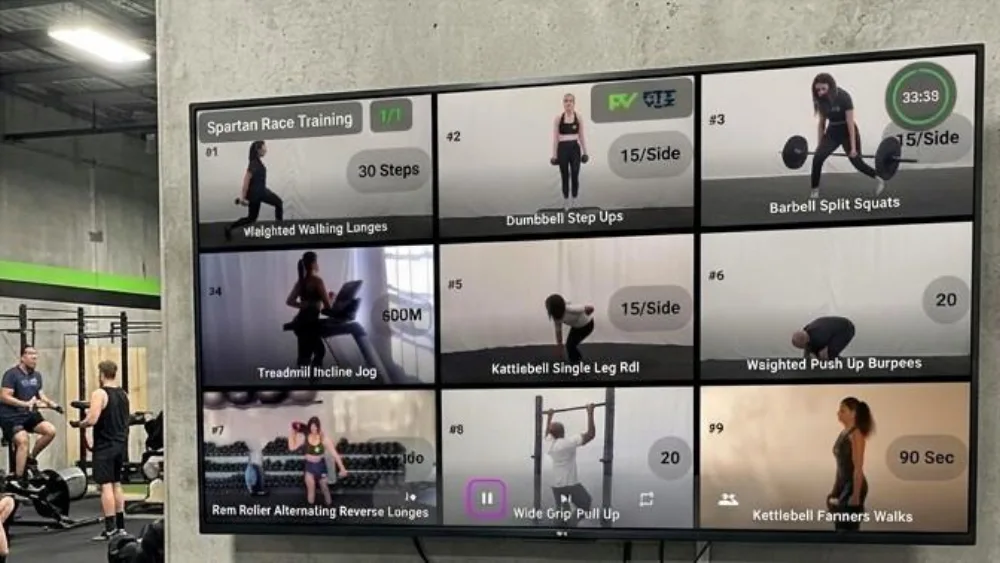
42. The hybrid corner. One TV beside the physical board running a digital gym whiteboard for demos and timers while the dry erase keeps the social stuff. The gateway setup.
Every digital-ready idea above, automated
The Fit Viz workout display runs WODs, leaderboards, timers, and heart rate zones on any TV; no markers, no rewriting.
Free Gym Whiteboard Templates: Plan and Explain Better Workouts
Download the printable Three-Block WOD Planner and Interval Cheat Sheet. Use the coach worksheet to organize your class, the clean whiteboard template to brief members, and the interval guide to set up EMOMs, AMRAPs, Tabatas, and work-rest sessions faster.
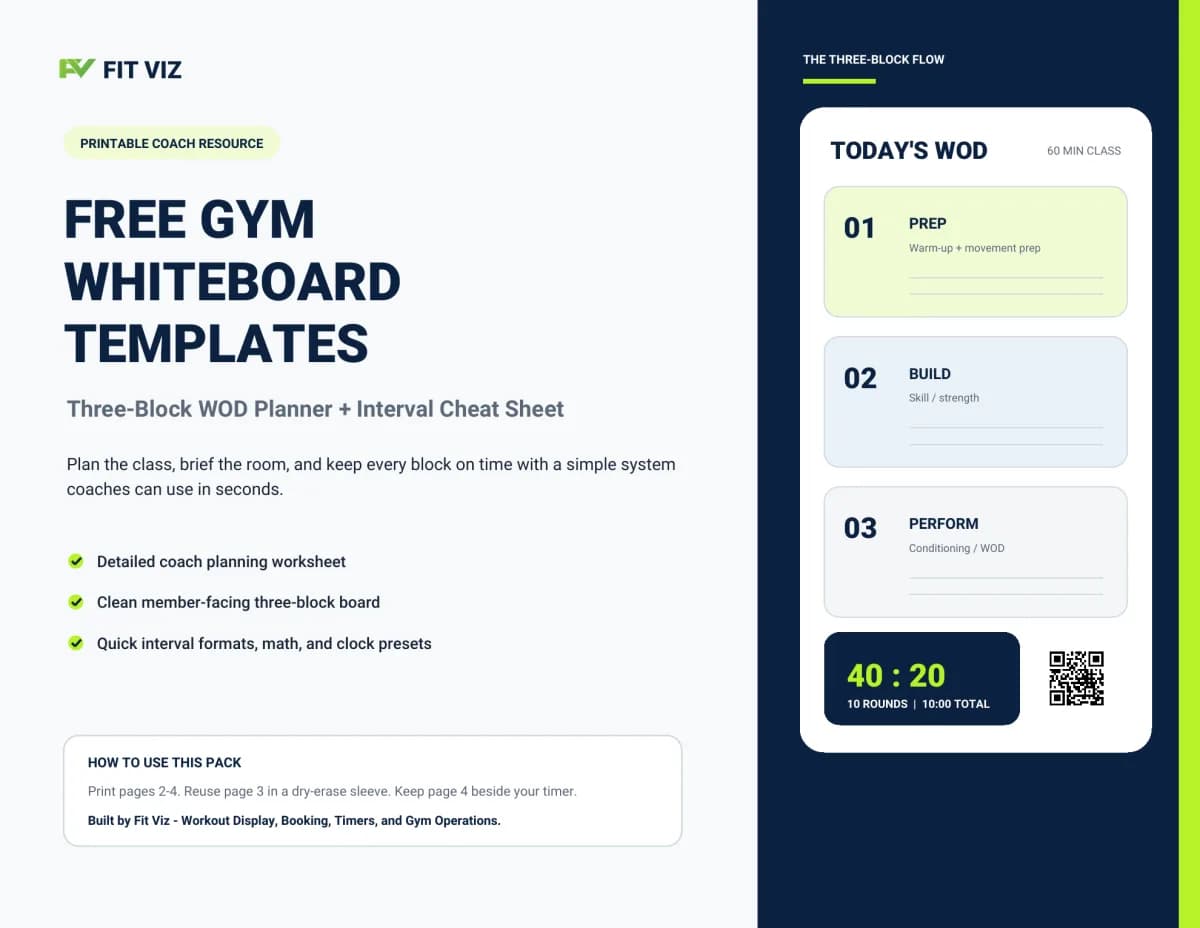
Free Gym Whiteboard Templates
Get the printable templates sent straight to your inbox - no account required.
Digital Alternatives Replacing Gym Whiteboards
Digital gym whiteboard alternatives: when markers stop scaling
Physical gym whiteboard ideas hit a ceiling in three predictable places: multiple daily classes (rewriting the board between every one), scaling tracks (three columns of shrinking handwriting), and anything live (leaderboards, timers, heart rate). That's the line where gyms go digital.
What a digital gym whiteboard changes:
| Job | Physical gym whiteboard | Digital gym whiteboard |
|---|---|---|
| Daily WOD | Rewritten every class | Publishes to every screen at once |
| Scaling tracks | Cramped columns | Rx/Scaled/Beginner side-by-side |
| Timers | Wall clock + phone app | Integrated timer in the same screen |
| Leaderboard | Marker column | Live-sorting scores |
| Effort | Invisible | Heart rate zones on the wall |
| Demos | QR codes / coach demo | Tap-to-play video loops |
| History | Photo-then-erase | Automatic archive |
| Mid-class edits | Stop and rewrite | Edit once, updates everywhere |
What physical boards still win: the goal wall, sticky-note collages, PR bell moments, kids' corners; the community layer where handwriting is the feature. Which is why the endgame for most gyms isn't replacement; it's the hybrid in idea #42: screens for the operational layer, dry erase for the human layer. And if your board's main job is the daily WOD specifically, the WOD whiteboard guide covers that side; physical boards vs tracking apps like btwb vs full digital displays.
Physical board shopping is straightforward; Rogue's Elite Series for the premium route, Amazon and Creative Safety Supply for budget and pre-sectioned options, Girl Friday for framed home-gym aesthetics. Buy once, then spend your creativity on the ideas above.
Try the hybrid setup free
Keep your dry erase for community. Put the WOD, timer, and zones on a screen; set up in under an hour on a TV you already own.
Gym Whiteboard: Digital Gym Whiteboard to Replace a White Board With Smart Displays
The era of the smudged Gym Whiteboard is ending. A traditional white board (or chalkboard) worked when workouts were simple and class expectations were lower. But today's fitness facilities run more complex programming, tighter class schedules, multiple tracks, and higher member standards. People expect clarity. They expect the workout to be visible, consistent, and professional.
That's why Smart Displays have taken over as the modern replacement for the gym whiteboard. A digital Gym Whiteboard is not just a nicer sign. It is a system that improves class flow, reduces coaching repetition, and makes the gym feel more premium from the moment members walk in.
This guide explains why gyms are replacing white boards with Smart Displays, what a digital Gym Whiteboard must include, and how Fit Viz is designed to turn programming into a high-definition experience on screens.
Why the traditional gym white board is becoming a liability
A physical gym whiteboard creates predictable friction:
- Visibility problems: members in the back can't read it
- Inconsistency: every coach writes differently and formats differently
- Time waste: rewriting workouts daily and erasing between classes
- No structure: hard to display warm-up, strength, metcon, and accessory blocks clearly
- Scaling confusion: Rx and scaled options get squeezed or skipped
- No movement demos: new members get lost and ask more questions
- No timing integration: the timer lives somewhere else, forcing coaches to manage more tools
None of this is catastrophic. But it adds up, and it scales poorly as your gym grows.
A digital gym whiteboard solves these issues by making the workout clear, consistent, and instantly updateable.
What Smart Displays do better than any white board
1. No mess, no maintenance
A Smart Display replaces markers, erasers, smudges, and chalk dust with a clean visual system:
- No dried-out markers
- No half-erased workouts
- No chalk on the floor
- No staff time spent maintaining the board
This isn't just cosmetic. It saves daily minutes that become hours over a month.
2. Clarity that improves confidence
A Smart Display is legible from anywhere in the room. That matters because clarity reduces anxiety and increases compliance - especially for new members.
A digital Gym Whiteboard provides:
- Large, consistent text
- Clean formatting by workout block
- The ability to show standards and notes
- A professional look that matches the facility brand
When people can see the workout clearly, they move with more confidence and less hesitation.
3. Real-time edits without chaos
One of the biggest problems with physical white boards is making changes across multiple classes. If you swap a movement because of equipment availability, injuries, or class level, someone has to rewrite the board.
A digital Gym Whiteboard allows:
- Instant edits without erasing
- Class-specific versions (different tracks throughout the day)
- Updates that keep coaches aligned
- Less confusion between "what we wrote" and "what we're actually doing"
This is crucial for gyms running multiple class formats and time slots.
4. Visual instruction: exercise demos and cues
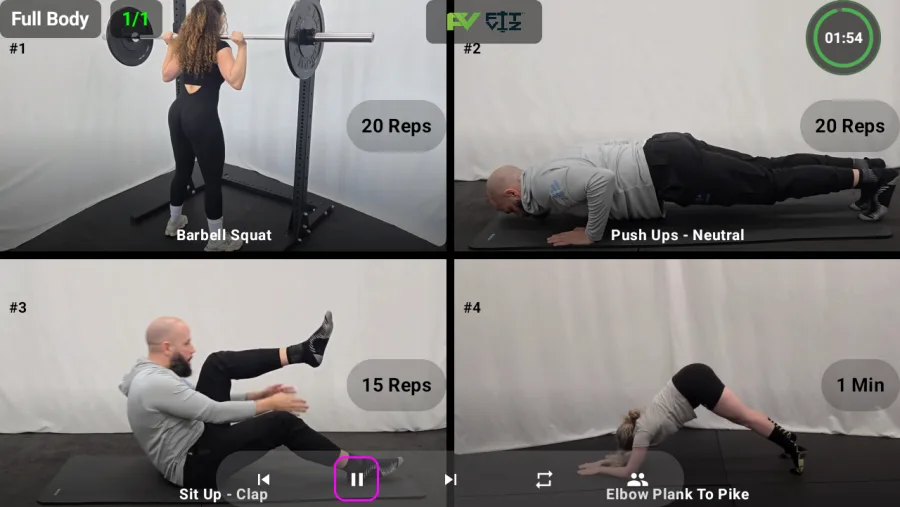
Text-only workouts are not enough for modern programming. Smart Displays allow gyms to embed visual learning into the class experience:
- Short movement demos
- Station diagrams
- Workout flow cues
- Standards reminders
This reduces the number of times coaches have to repeat explanations and helps members follow along independently.
5. A better class flow with integrated timers
A white board can list an EMOM or an interval plan, but it cannot run it.
Smart Displays can:
- Run countdowns and time caps
- Support EMOM, Tabata, intervals, and rest periods
- Show "what's next" during transitions
- Keep the entire room synchronized
When the timer lives next to the workout, the class runs smoother.
The digital Gym Whiteboard is bigger than a screen
A common mistake is thinking "digital whiteboard" equals "TV with a PDF." That approach still forces manual work and lacks interactivity.
A real digital Gym Whiteboard should:
- Update instantly by class time
- Display workout blocks cleanly
- Handle multiple tracks (Rx, scaled, beginner)
- Support timers and transitions
- Include demos and workout visuals
- Connect to scheduling and rosters when needed
This is where Fit Viz stands out.
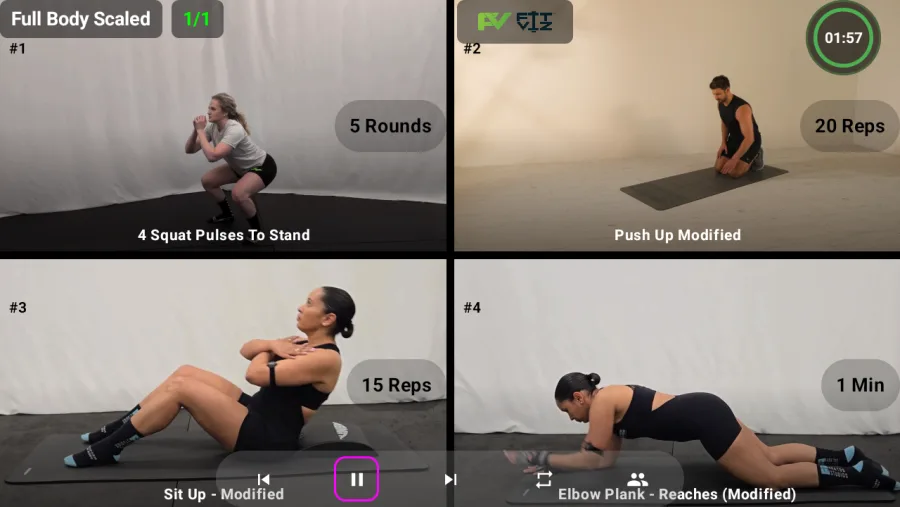
Fit Viz: Smart Displays that turn programming into a digital Gym Whiteboard
Fit Viz is designed to take your programming and deliver it as a high-definition, coach-friendly display system.
What Fit Viz does as a digital Gym Whiteboard
Fit Viz turns TVs into Smart Displays that can show:
- Daily programming and WOD structure
- Blocks (warm-up, strength, metcon, finisher)
- Rx and scaled options side-by-side
- Movement demos and workout visuals
- Timers that run the workout flow
- Class-by-class updates throughout the day
Instead of coaches rewriting a white board, they run class with a system that keeps the room aligned.
Why this matters for fitness facilities
Replacing a Gym Whiteboard with Smart Displays produces immediate benefits:
Faster starts and smoother transitions
When the workout and timing are visible, coaches spend less time organizing and more time coaching.
Better experience for new members
New members don't get lost. They can see movements, understand structure, and feel more confident.
Consistency across coaches
The workout formatting stays consistent regardless of who is teaching. This protects brand experience and class quality.
A more professional facility feel
A crisp digital Gym Whiteboard makes the gym feel modern and premium - especially compared to messy boards and marker stains.
Less daily admin and fewer mistakes
Real-time edits reduce "wrong workout on the board" moments and minimize confusion between classes.
How to transition from a white board to Smart Displays
Most facilities start with one primary display:
- One screen visible to the training floor
- A workout view that includes timer + movement visuals
- A consistent template for all class types
Then they expand to additional screens as needed:
- Lobby signage (schedule, announcements)
- Zone screens (stations, warm-ups, specialty classes)
- Coach control views
Fit Viz supports that evolution without forcing gyms into complicated signage systems.
Gym Whiteboard vs Digital Gym Whiteboard: The Real Differences
To make the value of a digital gym whiteboard concrete, here's the head-to-head:
| Capability | Traditional Gym Whiteboard | Digital Gym Whiteboard |
|---|---|---|
| Visibility from back of room | Poor; squinting required | Excellent; 40-foot reading distance |
| Daily maintenance | 5-15 min rewriting + erasing | Zero; content updates in seconds |
| Multi-track support (Rx + scaled) | Cramped, often skipped | Clean side-by-side display |
| Movement demos | Verbal description only | Video loops on screen |
| Timer integration | None; separate device | Built-in EMOM, AMRAP, Tabata, intervals |
| Mid-class edits | Stop class to rewrite | One-click change propagates to all screens |
| Multiple class formats per day | Re-write between every class | Auto-switches by schedule |
| Looks professional | Smudges, marker dust, chalk | Clean, branded, high-definition |
| Costs over 5 years | Markers + replacement boards (~$300) | Software subscription, but recovers 100+ coaching hours |
The gym whiteboard isn't just "a board you write on." It's the central in-class delivery surface that connects the workout to the timer to the member's experience.
How a Digital Gym Whiteboard Connects to the Rest of Your Software
A digital gym whiteboard that lives in isolation isn't worth much more than a TV with a PDF. The value is in what it connects to:
- Booking system (gym management software); when a member books, their name appears on the gym whiteboard at check-in
- Workout timer; EMOM, AMRAP, Tabata, intervals run inside the same display as the workout
- Heart rate display (Heart Rate Zones); zone-based intensity shows next to the workout, not on a separate screen
- Programming (CrossFit software); yesterday's authoring becomes today's display automatically
- Multi-screen ecosystem (Gym Screens); lobby signage, training floor display, zone screens all coordinate
The closer you get to "one platform that does all of this," the less time your coaches spend gluing tools together.
White Board to Smart Displays: A Common-Sense Transition Plan
Most facilities don't replace everything overnight. The realistic 90-day transition:
Days 1-30: One screen, one class type
- Mount one TV (any modern TV with a browser will do) in the most-visible spot
- Pick one class format to start (your highest-attendance class)
- Run the digital gym whiteboard alongside the existing white board for the first 2 weeks
- Train coaches on the new workflow
Days 30-60: Add formats, retire the white board
- Add second class format
- Stop rewriting the physical board
- Add movement demo library
- Connect the timer integration
Days 60-90: Expand the ecosystem
- Add lobby screen with class schedule
- Add zone screens for specialty classes (rowing, lifting platforms)
- Connect heart rate display if applicable
- Run multi-track classes (Rx + scaled) side-by-side
By Day 90, the physical white board is in storage. Coaches don't want to go back.
The Modern Gym Whiteboard Is the Foundation
The traditional gym whiteboard and physical white board had their time. But modern programming, member expectations, and operational scale require a clearer system. Smart Displays solve the daily problems of messy boards, unreadable text, constant rewriting, and disconnected timers.
For CrossFit affiliates, smart displays are one piece of a broader software ecosystem. Explore our CrossFit software guide to see how whiteboards, timers, scheduling, and member engagement integrate into a complete system. For boutique studios and HIIT gyms, the same logic applies: a digital gym whiteboard connected to your gym management software and workout timer replaces three separate tools with one.
Fit Viz leads this shift by turning your programming into a high-definition digital gym whiteboard with clear formatting, real-time edits, workout visuals, and integrated timing; helping coaches coach and helping members move with confidence.
See workouts come alive
The takeaway
A great gym whiteboard is a system, not a rectangle: pick 5-8 of the ideas above, tape your sections, keep the markers fresh; and when the operational half stops scaling, move that half to a screen. For the display side, start with the Fit Viz workout display; the dry erase board keeps doing what it does best.
See Workout Display → · See the Workout Timer → · See Heart Rate Zones →