WOD Whiteboard Guide: Boards, Apps & Digital Displays
The complete WOD whiteboard guide: physical dry erase boards vs tracking apps (btwb, SugarWOD) vs digital fitness whiteboards. What CrossFit gyms use.
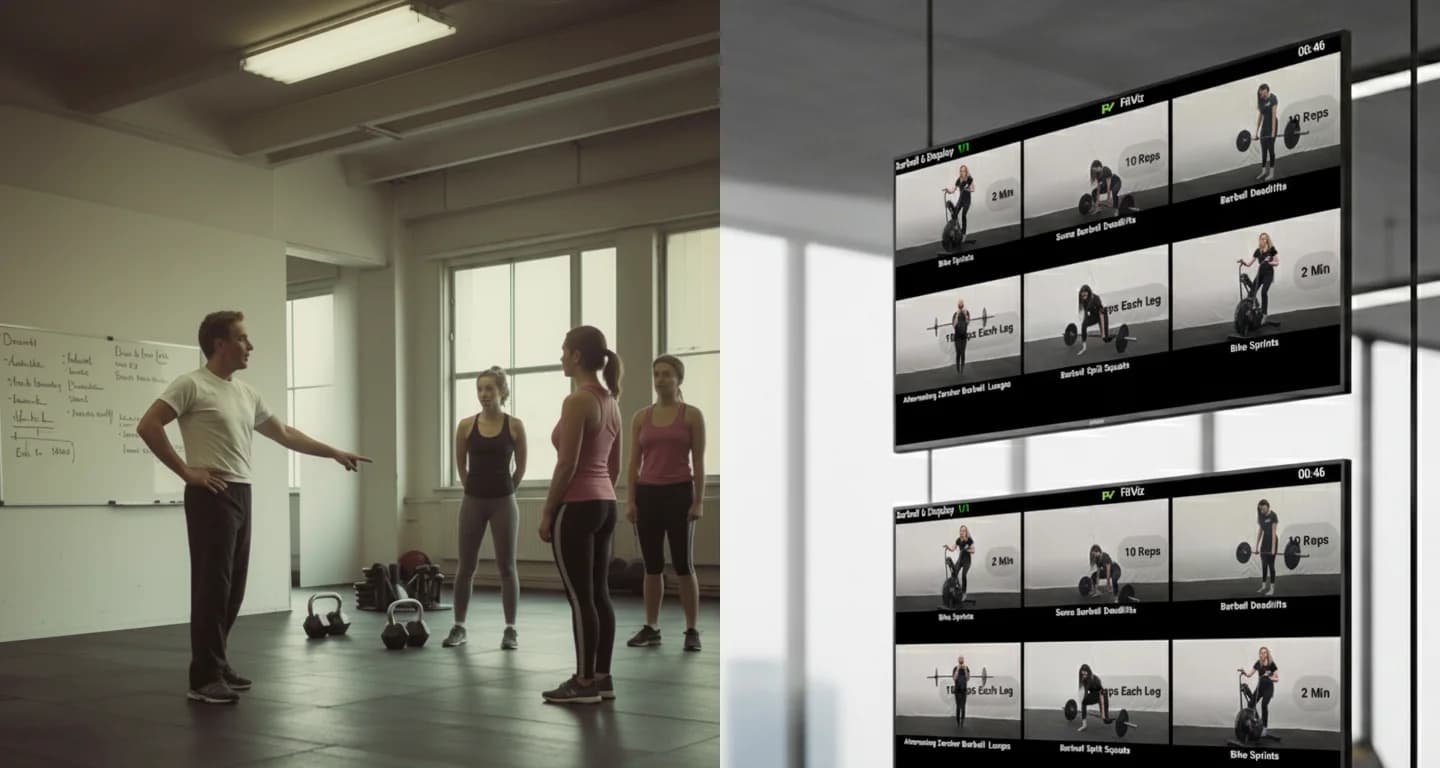
Are you tired of the daily grind of writing and erasing workouts, juggling Google Sheets and slides, only to spend half the class repeating instructions? Traditional WOD whiteboards, chalkboards, and makeshift digital solutions are relics of the past. To truly boost gym engagement and elevate your coaching, it's time to upgrade to a Digital Fitness Whiteboard & Workout of the Day (WOD) Display.
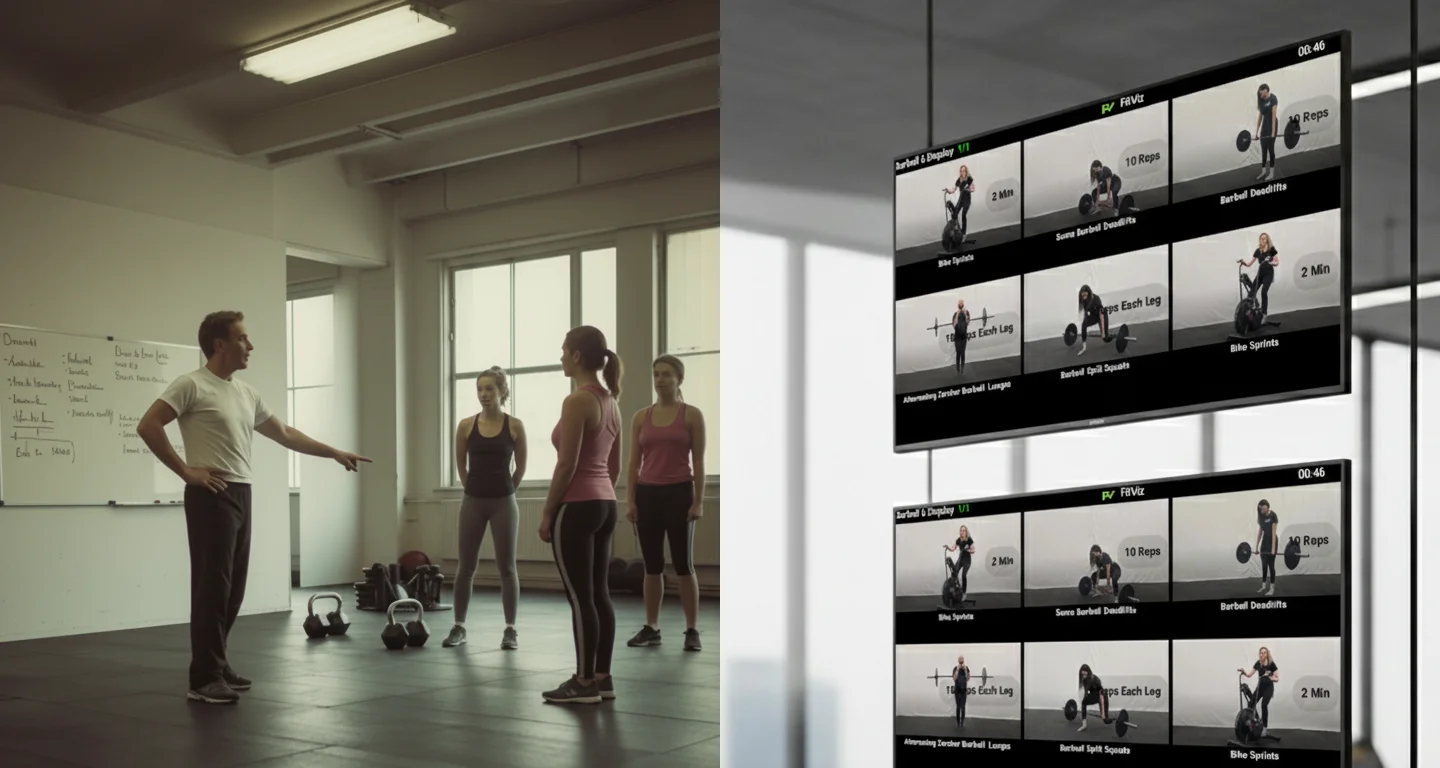
This technology isn't just about replacing a WOD whiteboard with pixels - it's about fundamentally transforming your training floor into an efficient, engaging, and modern space.
The three things "WOD whiteboard" means in 2026
Search WOD whiteboard and you'll hit three unrelated product categories competing for the same phrase. Knowing which one you actually need saves money and mistakes:
1. Physical WOD whiteboards. Dry erase boards purpose-made for CrossFit boxes - Rogue's Elite Series dry erase boards, SignsRxUSA's Daily WOD board, Creative Safety Supply's Warm-up/WOD/Results layouts. Pre-printed sections, wall-mounted, markers and elbow grease. Right choice if: single class format, one coach, budget near zero. Wrong choice if: multiple daily classes, scaling tracks, or any ambition to stop rewriting the same warm-up 300 times a year.
2. WOD whiteboard software (tracking apps). btwb (Beyond the Whiteboard), SugarWOD, and WodBoard took the results half of the whiteboard digital - members log scores in an app, leaderboards live on phones. WodWell's Whiteboard organizes programming. These digitize tracking, not the gym-floor display: during class, your wall still shows nothing unless you also keep a physical board.
3. Digital fitness whiteboards (gym-floor displays). The digital fitness whiteboard replaces the wall board itself: today's WOD on gym TVs, movement demos on tap, integrated timers, scaling tracks side-by-side, mid-class edits everywhere at once. This is the category the rest of this guide covers - and the one that makes categories 1 and 2 optional.
The rest of this page assumes you're weighing an upgrade from category 1, possibly alongside category 2. If you just want physical-board inspiration and layout ideas, our 40+ gym whiteboard ideas guide covers that side.
Eliminate Friction, Maximize Coaching Time
The transition to a digital display is all about efficiency. Instead of the hassle of constantly writing and erasing, our Digital Fitness Whiteboard transforms your training floor with crystal-clear, video instructions. This system lets you effortlessly manage and push your Workout of the Day (WOD) to one or multiple screens, ensuring every member knows exactly what to do and when.
This digital workout display cuts down on repetitive explanations, freeing up your valuable coaches to focus on what matters most: form and motivation.
The shift from a physical WOD whiteboard to a digital fitness whiteboard isn't just about aesthetics. Gyms that make this switch report saving 15-20 minutes per class on logistics - which compounds across multiple sessions per day into hours of recovered coaching time per week.
Your Coaching Transformation: How the Digital WOD Display Works
A Digital Fitness Whiteboard is a powerful platform designed to enhance your coaching, not replace it. It ensures consistency, clarity, and professionalism in every session, helping to boost gym engagement by making workouts easier to follow.
Here's how this tool transforms your coaching model:
Upload Your Expertise
Add your signature exercises, training methods, and coaching cues directly to the platform. Your unique style remains front and center.
Design Clear Workouts
Build sessions that display perfectly on any screen - be it a gym TV, tablet, or monitor. No more squinting at sloppy handwriting.
Coach Movement, Not Instructions
You can finally shift your focus to correcting form and motivating clients, instead of constantly shouting or repeating instructions across a noisy room.
Crystal-Clear Movement Demos on Screen
Provide instant visual guidance. Members can watch high-quality video demonstrations directly on the display screen.
Instant WOD Updates and Class Changes
Need to make a last-minute adjustment to the Workout of the Day? Update the digital whiteboard instantly across all screens. Modern systems also integrate automated timers for seamless class flow - learn more in our workout timer systems guide.
Why a WOD Whiteboard Beats a Generic Display System
Generic display systems and digital signage products were built for menu boards, lobby announcements, or static signage. A purpose-built WOD whiteboard like the Fit Viz workout display is built around how a class actually runs:
- Workout structure first: warm-up, strength, metcon, and accessory blocks display in the order a coach actually walks members through
- Integrated timing: the workout timer lives in the same view as the movements - no second app to launch
- Scaling options visible: Rx, scaled, and beginner versions display side-by-side without cramming
- Mid-class edits: change a movement on the fly across all gym screens instantly
- Movement demos: short video loops show movements in motion, not just text descriptions
A generic display system requires you to build all of this from scratch in slides or signage software. A purpose-built digital fitness whiteboard ships with it.
WOD whiteboard buying guide: Physical boards compared (honest version)
If you're set on a physical WOD whiteboard - legitimate for garage gyms and single-class boxes - here's the honest landscape:
| Option | What you get | Best for | Watch out |
|---|---|---|---|
| Rogue Elite Series dry erase boards | Heavy-duty pre-printed WOD layouts, box-branded quality | Affiliates wanting the classic look | Premium price for a board you'll still rewrite daily |
| SignsRxUSA Daily WOD board | Budget pre-printed daily-WOD sections | Garage gyms, tight budgets | Thin surface ghosts fast with heavy use |
| Creative Safety Supply Warm-up/WOD/Results | Three-section workflow layout | Boxes wanting structured sections | Fixed layout fights non-standard programming |
| Generic glass board (Amazon) | No ghosting, clean look | Home gyms, aesthetics-first | No fitness-specific sections; glare on camera |
| Digital fitness whiteboard (Fit Viz) | WOD on every screen, Workout Display, timers, demos, heart rate zones, zero rewriting | Any facility running 2+ classes/day | Needs a TV and Wi-Fi - that's the whole list |
The physical options are fine products. The math changes at scale: 10 classes a week x 15 minutes of writing/erasing = 130 hours a year of coach time spent on marker work a digital fitness whiteboard does automatically.
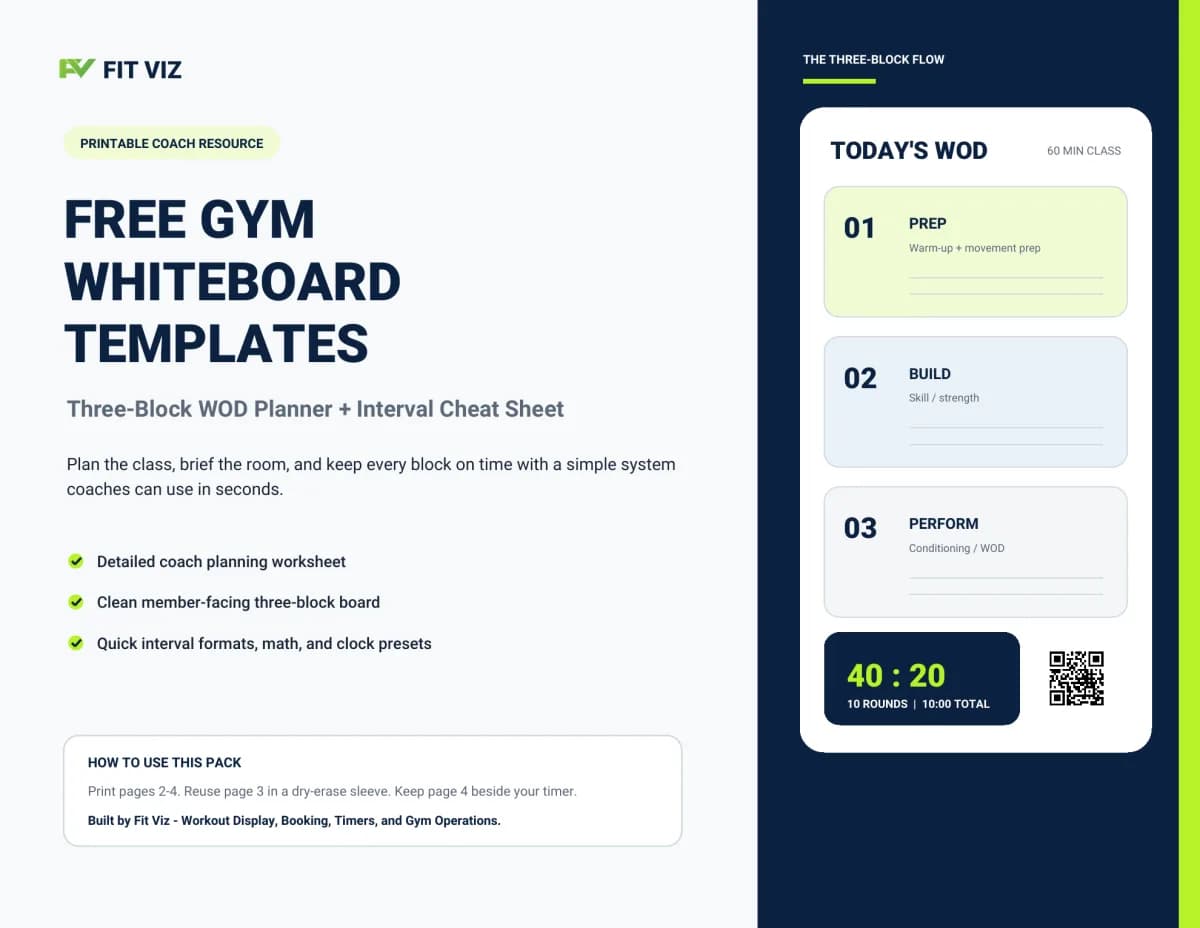
Free Gym Whiteboard Templates
Get the printable templates sent straight to your inbox - no account required.
WOD whiteboard software: btwb vs SugarWOD vs WodBoard vs a full display
The software brands ranking for WOD whiteboard each digitize a different slice:
- btwb (Beyond the Whiteboard) - the original workout tracking app. Deep benchmark history and analytics. Members log on phones; the gym wall stays analog. See our btwb vs Fit Viz comparison for the head-to-head.
- SugarWOD - athlete-loved tracking + community feed, now part of PushPress. Same gap: phone-first, not floor-first.
- WodBoard - gym management (booking/billing) with programming features; the name says whiteboard, the product is ops software.
- WodWell Whiteboard - a programming library organizer for coaches, not a member-facing display.
None of the four puts today's WOD, the running workout timer, and live heart rate zones on the gym-floor screens. That's the specific job of a digital fitness whiteboard - and why boxes often run tracking software and a display, or consolidate both layers into one platform.
Stop rewriting. Start displaying.
The Fit Viz digital fitness whiteboard puts the WOD, timers, and heart rate zones on every screen; updated once, everywhere.
The Key to Boosting Gym Engagement
The biggest challenge in the fitness industry is member retention and engagement. A Digital Fitness Whiteboard & Workout of the Day (WOD) Display directly tackles this challenge by creating a superior member experience:
- Clarity Reduces Intimidation: New members, especially, can feel overwhelmed by complex workouts. Clear, consistent digital instructions make the session less intimidating and more accessible.
- Professionalism Builds Trust: A sleek, modern digital display sends a strong message that your gym is committed to quality, technology, and professionalism.
- Video Demos Enhance Safety: Seeing a movement performed correctly on screen (with crystal-clear movement demos) is far more effective than a verbal description alone, leading to better form and fewer injuries.
By integrating this technology, you not only streamline your operations but also create a structured, engaging environment that keeps members focused, motivated, and coming back for more.
From WOD Whiteboard to Full Gym Tech Stack
A digital fitness whiteboard is the most visible piece of a modern gym's tech stack - it's what members actually see - but it works best when it's part of an integrated system:
| Layer | Tool | What it does |
|---|---|---|
| Booking | Gym management software | Class scheduling, payments, member roster |
| In-class delivery | WOD whiteboard (Workout Display) | The workout itself, displayed on TVs |
| Timing | Workout Timer | EMOM, AMRAP, Tabata, intervals, station rotations |
| Effort visibility | Heart Rate Zones | Live zone-based intensity display |
| Programming | CrossFit software | WOD authoring, benchmarks, leaderboards |
When the WOD whiteboard connects to the booking system, the member's name appears on the display when they check in. When it connects to the timer, the workout structure runs itself. When it connects to programming, the workout you wrote yesterday appears in front of the class today - without anyone copy-pasting.
What to Look For in a Digital Fitness Whiteboard System
When evaluating a WOD whiteboard for your gym, the questions that matter:
Display quality
- Legible from the back of the room (40-foot reading distance minimum)
- Clean formatting that doesn't break on long workouts
- Multiple TV/tablet support without duplicate setup
Workflow
- One-click WOD push to all screens
- Mid-class edits propagate everywhere instantly
- Class-specific versions (6 AM Rx vs 7 AM scaled)
- Coach control view separate from member display
Integration
- Lives in the same platform as booking and timer
- Movement demo library built in
- Heart rate zone display option
- Multi-location management if applicable
Hardware
- Runs on any modern TV/tablet/monitor with a browser
- No proprietary hardware lock-in
- No cable mess
The closer a system gets to "one platform, every layer," the less time you spend gluing tools together - and the more time you spend coaching.
Common WOD Whiteboard Mistakes Gyms Make
After watching dozens of affiliates make the transition, the three most common mistakes:
- Mistake 1: Just slapping a TV on the wall. A TV running a PDF or Google Slides isn't a digital fitness whiteboard - it's a TV with a static image. You still rewrite content daily, you still can't push edits across screens, and the timer still lives somewhere else.
- Mistake 2: Underestimating the timer integration. Coaches don't want to manage three tools during a HIIT class. If the WOD whiteboard doesn't include native timer support (EMOM, AMRAP, Tabata, intervals), you'll end up bolting on an app and losing the integration value.
- Mistake 3: Buying display software without the platform. A signage system can show your WOD, but it can't connect to your booking flow, your members, or your programming. The integration is the value - not the screen itself.
Ready to Stop Writing and Start Coaching?
Upgrade your Workout of the Day (WOD) Display and watch your gym engagement boost immediately. For CrossFit boxes, digital displays are part of a broader software ecosystem; see our CrossFit software guide covering displays, timers, scheduling, and member management. For multi-screen gym ecosystems, see gym screens.