Personal Training Software Buyer's Guide
Personal training software buyer's guide: learn the must-have PT Software features for high-value 1-on-1 coaching - client app with workouts and demos, workout logging and PR tracking, instant payments, and a Workout Display TV app. See how Fit Viz delivers premium sessions with TV-based workout guidance, built-in timers, and optional heart rate zones.
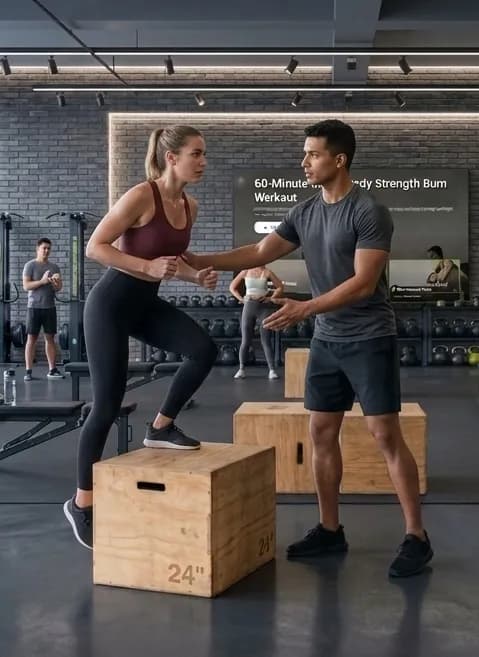
Personal trainers are one of the most tech-underserved segments in the fitness industry. Most platforms were built for big gyms that need front-desk workflows, multi-department reporting, and complex class scheduling. That’s useful if you’re running a 5,000-member club. But if you’re coaching 1-on-1, semi-private, or hybrid (in-person + remote), you don’t need a bloated system that slows you down.
You need personal training software that makes your coaching look premium, keeps clients consistent between sessions, tracks progress without spreadsheets, and gets you paid automatically. The best PT Software turns your expertise into a repeatable experience: clients know what to do, you know what they did, and every session feels like a high-value service - not a casual meet-up with a notes app.
This buyer’s guide is designed to be an “ultimate authority” resource. It covers the real workflows trainers depend on, the feature set that actually moves revenue and retention, and how Fit Viz fits into modern personal training - especially with its standout ability to run a client’s custom program on a TV through a connected Workout Display TV app.
In this article, we will expand on:
- Client app for workout delivery, demos, homework, and logging
- Instant payments and packages so you stop chasing Venmo transfers
- Workout Display on a client’s home TV or a gym’s TV so sessions feel professional
- Fit Viz as an all-in-one PT operating system: Workout timers, heart rate zones, workout data management, and gym-grade class flow tools
Why personal trainers outgrow basic tools
Most trainers start with some combination of:
- Google Sheets or Notes App programming
- PDFs or screenshots
- long text messages with YouTube links
- Venmo, Zelle, or cash
- “Tell me what you lifted last time” tracking
It works for your first 5–10 clients. Then it breaks - usually in predictable ways:
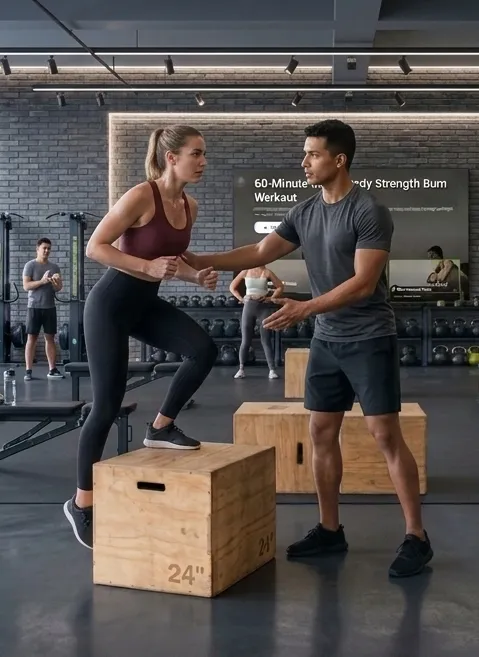
1. Clients can’t find the workout when they need it
Homework becomes inconsistent. Consistency becomes optional. Results slow down. Churn starts.
2. Logging disappears
When clients don’t log, you can’t progress them efficiently. Progress stalls. They feel like they’re “working hard” but not moving forward.
3. Payments become awkward
Even great clients forget. You follow up. It feels transactional. You lose time and confidence.
4. Sessions don’t look premium
If your client is constantly staring at a phone, asking “what’s next,” or waiting while you reset a timer, the session feels less polished than the big-box gym down the street.
The best personal training businesses aren’t just “good coaches.” They deliver a professional system that clients trust and want to stay in.
That’s what modern personal training software is for: turning your coaching into an experience that scales.
What “good PT Software” should actually do
Before comparing tools, clarify what you’re buying. Great PT Software should:
- Increase client adherence (more workouts completed)
- Increase perceived value (sessions feel premium and structured)
- Increase results (progress is tracked and progressed)
- Reduce admin (less copy/paste, fewer reminders, fewer payment chases)
- Support your business model (1-on-1, semi-private, online, hybrid)
A platform can have dozens of features and still fail the basics. In PT, the “basics” are workflow: build → assign → execute → log → progress → pay → repeat.
The 3 must-have features in personal training software
Must-have #1: Client app for workouts, homework, and logging
If your clients don’t have a clean place to view workouts, your service becomes fragile. A client app should be the single source of truth for everything you prescribe.
What a client app must include
A strong client app experience should support:
- Workout delivery: clear exercises, reps, sets, rest, notes
- Prescribed weights and targets: so clients don’t guess
- Video demos: so you stop sending YouTube links
- Homework: training between sessions, not just in-session programming
- Logging: reps performed, weights used, PRs, and notes
- History: what they did last time so progression is automatic
The key idea: your coaching should live in a system, not in your memory.
Why logging is the real differentiator
Many platforms can “send workouts.” Far fewer get logging right.
Logging matters because it powers progressive overload:
- If your client logged 3×8 at 50 lb last week, you prescribe 55 lb this week.
- If they hit a PR, you can celebrate it and build motivation.
- If performance drops, you can adjust recovery and volume intelligently.
Logging turns training into evidence-based coaching.
Fit Viz supports this workflow by delivering workouts in-app and enabling clients to log their workout data in one place, including performance history and PRs.
Must-have #2: Instant payments and packages
Great training doesn’t protect your business if your billing is messy. A trainer who uses Venmo requests and manual reminders is doing admin work that modern PT Software should eliminate.
What “instant payments” really means
Your personal training software should support:
- Stored payment methods
- Recurring billing (monthly retainers)
- Session packs (5-pack, 10-pack, 20-pack)
- Membership-style plans (unlimited PT sessions per month, hybrid coaching)
- Automated renewals and easy upgrades
- Receipts and clear transaction history
- Clear package balance (how many sessions left)
This is not just convenience. It directly impacts retention. When payment is frictionless, the relationship stays focused on results - not transactions.
Fit Viz supports payments and membership-style workflows inside the same ecosystem clients use for workouts, so your service feels unified.
Must-have #3: Workout Display on TV (the “premium session” feature)
This is the feature most personal training software ignores, and it’s one of the easiest ways to raise perceived value instantly.
In-person coaching sessions often break flow because:
- Clients stare at phones mid-set
- Workouts are hard to follow at a glance
- Timers are managed separately
- You repeat “next movement” constantly
A Workout Display solves this by putting the client’s program on a larger screen - either in the gym or at home - so the workout becomes visual and guided.
Why Workout Display matters in 1-on-1 coaching
- The session feels structured and professional
- Clients execute with less confusion
- You coach form instead of managing the workout flow
- Pacing improves (rest timers, intervals, transitions)
- It feels like a premium studio experience
Fit Viz includes a Workout Display TV app that connects to the phone app. This allows you to cast a client’s custom program to a nearby Smart TV or the client’s home TV, giving your sessions a high-production feel without adding admin.
Fit Viz: personal training software built for hybrid coaching
Most PT Software platforms choose one world:
- Online programming and messaging
or - Gym management and scheduling
Fit Viz is built around the reality that trainers live in both: in-person sessions and remote homework. It combines client-facing app workflows, workout displays, and gym-floor execution tools into one system.
Here’s what Fit Viz enables for personal trainers:
1. Professional workout delivery (in app + on screens)
- Send workouts to clients with demos and prescriptions
- Assign homework so progress continues between sessions
- Display workouts on TVs for guided execution
2. Built-in workout timers for structured sessions
Trainers often run:
- EMOM intervals for conditioning
- timed circuits
- rest windows between sets
- progressive density blocks
Fit Viz’s timers reduce the need for separate timer apps and keep sessions flowing.
3. Heart rate zones (optional) for smarter intensity coaching
Heart rate training is a premium feature when used correctly:
- Improves pacing for conditioning clients
- Helps fat loss clients stay in the right intensity zone
- Improves safety for new trainees
- Provides objective progress markers (faster recovery, lower HR at same output)
Fit Viz supports heart rate zone visualization (when wearables are used), adding a “data-driven coaching” layer that big boxes often charge extra for.
4. Workout data management and progress history
Fit Viz helps clients log and review performance. This is essential for coaching that feels personalized and measurable.
Clients don’t renew because you are “nice.” They renew because they can see progress.
Personal training software use cases (and what to buy for each)
Not all trainers operate the same way. The best PT Software depends on how you sell and deliver your service.
Use case A: Pure in-person 1-on-1 training
You need:
- Workout delivery + logging
- Payment automation
- Workout display in the gym
- Timers for session flow
Fit Viz fits this model because workouts can be delivered in-app and displayed on a TV, creating a premium in-session experience.
Use case B: Hybrid coaching (in-person + homework(remote workout))
You need:
- Homework/remote workouts delivered cleanly
- Adherence tracking
- Messaging/communication workflows
- Progress history
- Payment plans
Fit Viz supports assigning workouts to clients and tracking their progress across sessions, while still upgrading the in-person experience with the Workout Display TV app.
Use case C: Online personal training
You need:
- Video demos
- Logging
- Progress trends
- Messaging
- Billing automation
Fit Viz supports app-based workout delivery and logging with a system feel - useful for online clients who need clarity and structure.
Use case D: Semi-private training (2–6 clients at once)
Semi-private is where sessions often become chaotic:
- Different clients are at different phases
- Timing drifts
- Coach attention gets split
- Clients forget their prescriptions
A workout display + timers solve this by keeping everyone aligned visually. Fit Viz excels here because the screen becomes a “second coach.”
The real buying checklist: how to evaluate PT Software
When you evaluate personal training software, don’t ask “does it have feature X.” Ask “does it reduce friction and improve delivery.”
Client experience checklist
- Can clients open the app and instantly find today’s workout?
- Are instructions clean, readable, and structured?
- Are video demos built in (not link-based)?
- Can they log easily without extra steps?
- Can they see progress history and PRs?
Coach workflow checklist
- Can you build workouts quickly with minimal admin?
- Can you assign workouts to specific clients instantly?
- Can you edit workouts in real time when needed?
- Can you see what the client actually completed?
- Can you adjust next week’s plan based on real data?
Business checklist
- Are payments native and automated (not “send me Venmo”)?
- Can you sell packages and recurring plans easily?
- Does it reduce no-shows and cancellations?
- Can it scale as you add clients without chaos?
Premium experience checklist
- Can you display workouts on a TV for in-session guidance?
- Are timers integrated so you’re not juggling tools?
- Can you add heart rate zones as a premium coaching layer?
Fit Viz checks these boxes by combining workout delivery, payment workflows, workout display, timers, and optional heart rate zone coaching into one system.
Why Workout Display is the best “rate increase” lever
Most trainers raise prices by saying they are worth more. The best trainers raise prices by delivering an experience that looks worth more.
A Workout Display does that instantly:
- The session looks organized and intentional
- Clients stop scrolling mid-set
- Rest timing is consistent
- The workout becomes a guided flow
- You spend more time coaching form and effort
Fit Viz’s Workout Display TV app is a practical tool for delivering that premium feel without complicated setup.
If you want a simple message:
Stop looking like a trainer who texts workouts. Start looking like a trainer who runs a system.
How Fit Viz helps trainers compete with big box gyms
Big box gyms win with convenience and perceived professionalism:
- Clean apps
- Polished workflows
- Simple billing
- “Technology experience” that feels modern
Independent trainers win by providing personalization - but many still deliver it through messy tools. Fit Viz helps you combine personalization with production value:
- Clients receive a clear workout in an app
- Workouts display on a TV like a premium studio
- Timers run automatically
- Progress is logged and visible
- Heart rate zones can elevate conditioning coaching
- Billing is handled inside the system
That’s how a PT competes: not by copying big boxes, but by delivering a better personal experience with the same operational polish.
The “death to the Slides/Spreadsheets/PDFs & YouTube links” principle for PTs
If your coaching depends on Slides/Spreadsheets/PDFs & YouTube links, you’re doing extra work and giving your clients extra friction.
Slides/Spreadsheets/PDFs &YouTube links fail because:
- They aren’t interactive
- They don’t guide pacing
- They don’t record performance
- They aren’t easy to update
- They don’t feel premium
Modern personal training software replaces Slides/Spreadsheets/PDFs & YouTube links with:
- Structured workouts in-app
- Video demos embedded
- One-tap updates
- Built-in logging
- Screen-based guidance where needed
Fit Viz is built around this philosophy. The workout is not a file. It is a system.
How to select PT Software in 15 minutes
If you want a quick decision framework, use this:
If your priority is professional session delivery:
Choose a system with Workout Display + timers.
Fit Viz stands out here because of the connected TV app and timer integration.
If your priority is client consistency between sessions:
Choose a system with clean homework assignment + logging + history.
Fit Viz supports this through app-based delivery and data tracking.
If your priority is getting paid without chasing:
Choose PT Software with native billing, packages, and recurring payments.
Fit Viz supports in-app memberships and payments.
If your priority is data-driven coaching:
Choose software that supports progress tracking and heart rate zones.
Fit Viz supports heart rate training and historical performance visibility.
Conclusion
The best personal training software is not the one with the longest feature list. It’s the one that:
- Makes sessions feel premium
- Keeps clients consistent between sessions
- Tracks progress without friction
- Automates payments
- Reduces admin so you can coach more
Modern PT Software should make your coaching look as professional as it is.
Fit Viz empowers PTs to compete with big boxes by combining a client app for workout delivery and logging, integrated payments, and a standout feature: the Workout Display TV app that runs your client’s custom program on a nearby Smart TV (or their home TV). Add built-in timers and optional heart rate zones, and your sessions become more structured, more measurable, and more valuable - without adding complexity.