Fitness Scheduling Software: 10 Best Tools Reviewed (2026)
Compare modern fitness scheduling software and learn why booking speed, resource management, and in-studio sync now matter most. See how Fit Viz enables 2-tap booking, smarter room allocation, and real-time integration with workout screens, timers, rosters, and heart rate profiles to automate the flow from booked to training.

The landscape of fitness scheduling software has shifted. “Booking a class” is no longer the bar - it’s the entry fee. Today’s facilities want scheduling software that protects the two things that actually determine profitability and retention:
- Time (staff time, coach time, member time)
- Capacity (floor space, rooms, equipment, and class utilization)
If your fitness scheduling software simply reserves a spot but doesn’t help you run the class, you’re leaving value on the table. Modern group fitness center operators want the system to optimize floor space, reduce friction at check-in, and translate bookings into a smooth in-studio experience automatically.
Fit Viz is built for that next step: a unified platform where scheduling, payments, class rosters, workout displays, timers, and heart rate readiness work together.
The main topics we will expand on are:
- Booking speed and member conversion
- Resource management and floor space optimization
- In-studio sync: the automated transition from “Booked” to “Training”
| Feature | Legacy Software | Fit Viz (2026 Standard) |
|---|---|---|
| Booking Speed | 5-7 Clicks | 2-Tap Booking |
| Resource Mgmt | Manual Entry | AI-Optimized Room Allocation |
| In-Studio Sync | None | Real-time Display Integration |
Why “booking speed” now determines revenue
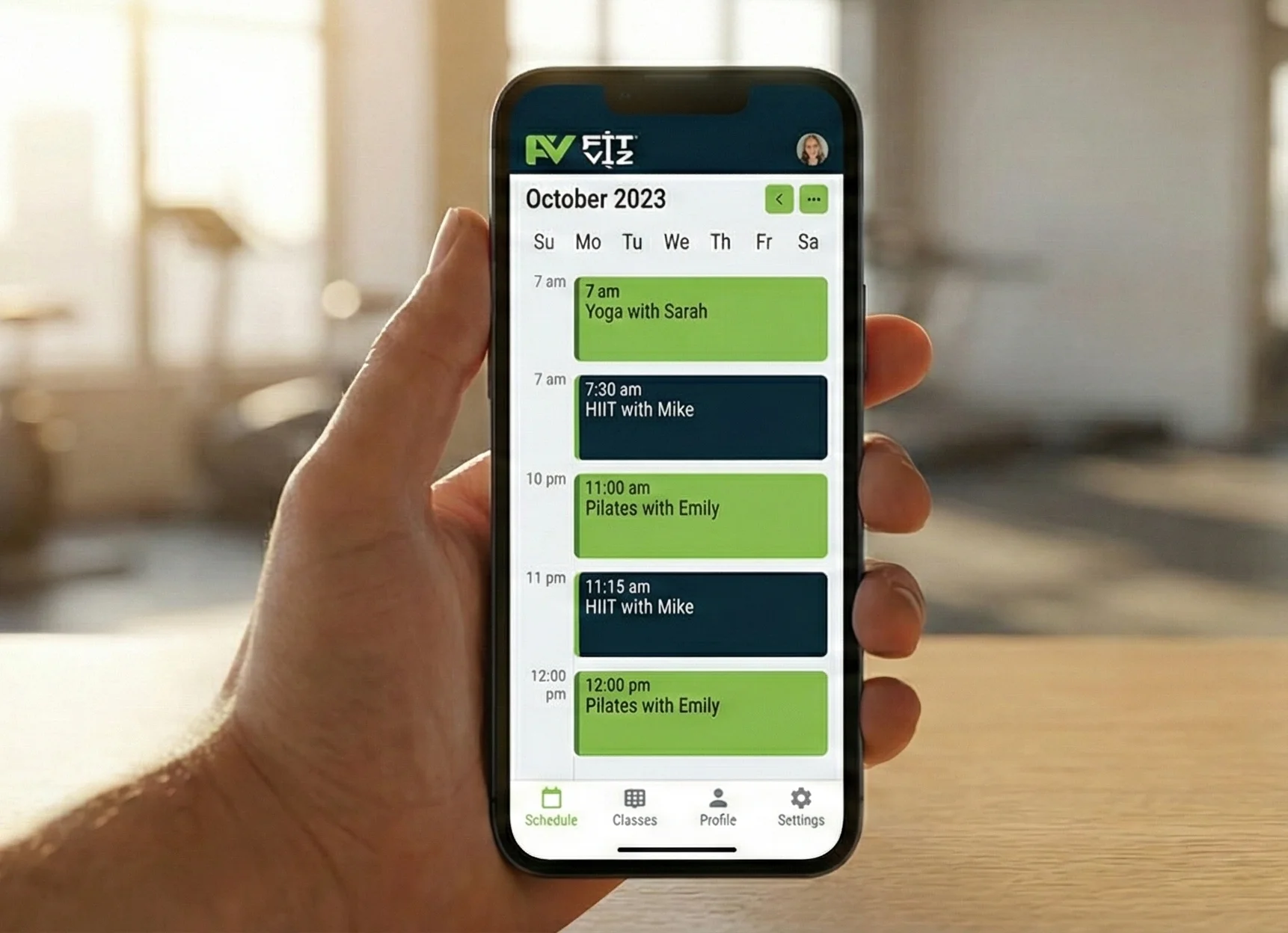
Every extra tap in the booking flow lowers conversion - especially for busy members booking last-minute. In many gyms, the schedule is full of intent but not full of bodies because the booking experience creates friction.
What elite fitness scheduling software must deliver
- 2–3 tap booking from schedule to confirmation
- Clear membership/credit eligibility without extra screens
- Instant confirmation, reminders and Check-ins
- Simple cancellation and waitlist behavior
When booking is easy, attendance becomes consistent. When attendance becomes consistent, retention rises. That’s why booking speed has moved from “nice UX” to “business critical.”
Fit Viz: 2-tap booking designed for real members
Fit Viz reduces friction so members can:
- View the schedule
- Tap the class
- Book immediately with stored eligibility and payment logic applied
This is how modern fitness scheduling software supports habit formation, not just calendar management.
Resource management: optimizing your most expensive asset (floor space)
Your facility’s most expensive resource is not your app. It’s your space:
- Studio rooms
- Training zones
- Reformers or bikes
- Limited equipment
- Coach-to-member ratios
Legacy platforms treat this as manual admin. Someone has to set capacity rules, assign rooms, and adjust when things change.
Modern fitness scheduling software should help you operate like an airline:
- Allocate limited seats intelligently
- Prevent conflicts automatically
- Maximize utilization without chaos
What resource management should include
- Room assignment and capacity limits by class type
- Equipment-based capacity (bikes, reformers, rowers, stations)
- Instructor availability constraints
- Waitlist rules that respect resource limits
- Visibility into utilization by class and time slot
Fit Viz: AI-optimized room allocation (where it makes sense)
Fit Viz is the modern standard because it supports resource-aware scheduling, helping owners reduce dead space and prevent overbooking conflicts. Instead of relying on staff to manually juggle rooms and constraints, Fit Viz supports a smarter allocation approach that matches schedule demand to your available capacity.
The result:
- Fewer scheduling errors
- Better class fill rates
- Better use of rooms and equipment
- Less staff time spent “fixing the schedule”
The in-studio sync problem: where most scheduling software stops
Here is the biggest gap in most scheduling platforms:
They manage “booked,” but they don’t manage “training.”
That gap creates daily friction:
- Rosters require manual refresh
- Coaches don’t see who is coming until the last moment
- Check-in becomes a bottleneck
- Timers are separate tools
- Heart rate displays require extra setup
A modern gym experience should feel seamless:
- Member books
- Member arrives
- Member is recognized
- Class starts with the right workout and the right people already visible
What modern fitness scheduling software should trigger automatically
- Roster display updates in real time
- Class-specific workout display is ready on screens
- Workout timer and intervals load automatically
- Heart rate profiles are ready for the class display (when wearables are used)
- The coach runs class without juggling extra systems
This is what “Booked to Training” automation actually means.
Fit Viz: automating the transition from “Booked” to “Training”
Fit Viz is designed to be more than scheduling - it’s a connected system that links operations to the training floor.
1. Real-time roster and screen integration
When members book, Fit Viz can keep rosters current and visible, supporting faster class starts and less front-desk friction.
2. Workout displays that match the class context
Fit Viz isn’t just booking software - it powers workout screens. That means the class experience can be prepared automatically based on what’s on the schedule.
3. Timers that load with the workout
Instead of coaches using separate timer apps or wall clocks, Fit Viz supports inbuilt timers (AMRAP, EMOM, Tabata, intervals) that can be ready when class starts - helping coaches coach instead of managing devices.
4. Heart rate readiness for class (optional but powerful)
When heart rate systems are used, Fit Viz can support the in-class experience by having profiles ready for display so athletes don’t waste time pairing devices or troubleshooting. This makes heart rate training more scalable in group environments.
Why this matters: the new standard for fitness scheduling software
A scheduling system is no longer judged by its calendar. It’s judged by how it impacts:
- Member friction (booking, arrival, check-in)
- Staff workload (rosters, room conflicts, troubleshooting)
- Utilization (floor space and equipment)
- Class execution (timers, transitions, clarity)
- Retention (confidence, consistency, premium experience)
Fit Viz is the modern standard because it treats scheduling as the start of the class experience, not the end.
Fitness scheduling software comparison: Fit Viz vs 9 common platforms
| Platform | Best fit | Booking experience | Resource management (rooms/equipment) | In-studio sync (screens/timers/HR) | Payments & memberships | Where Fit Viz is different |
|---|---|---|---|---|---|---|
| Fit Viz | Gyms/studios that want scheduling + workout floor system | Designed for fast mobile booking | Built around class operations + floor flow | Native: workout screens + timers + HR zones (when used) | Built-in memberships, packs, payments (all-in-one) | One platform connects Class Scheduling → Workout Screens → Timers → Heart Rate so “Booked” becomes “Training” automatically. |
| Mindbody | Multi-service studios, enterprise needs | Feature-rich, can feel heavier | Strong for schedules; resource handling varies by setup | Typically requires separate display/timer tools | Strong billing + marketplace ecosystem | Fit Viz adds native workout TV + real-time class flow tools instead of stopping at the front desk. |
| Zen Planner | Functional fitness gyms, membership ops | Solid, more utilitarian | Good for rooms/capacity basics | Usually relies on separate display/timer systems | Strong memberships/billing | Fit Viz integrates the training floor experience (screens/timers/HR) into the same system. |
| PushPress | Modern gyms wanting fast ops | Generally streamlined | Capacity + basic resource controls | Often paired with separate apps for WOD/timer/display | Strong payments + memberships | Fit Viz reduces tool sprawl by pairing booking with workout screens + timers natively. |
| Wodify | CrossFit-style gyms | Member experience varies by configuration | Class capacity supported | Typically external displays/timers/HR overlays | Strong gym ops + billing | Fit Viz emphasizes visual class execution (WOD flow + scaling + timers on TV). |
| Glofox | Boutique studios & franchises | Usually mobile-friendly | Solid capacity; deeper resource controls vary | In-studio experience typically requires other tools | Billing + memberships | Fit Viz adds an in-studio workout display system that runs class flow, not just booking. |
| Mariana Tek | Premium boutique brands | Polished, brand-forward | Strong studio scheduling | Display/timers generally separate products | Strong billing + memberships | Fit Viz focuses on workout-floor automation (timers/demos/HR) tied to schedule. |
| ABC Fitness | Big box & multi-location clubs | Enterprise-oriented | Strong facility scheduling | In-studio experiences often via separate systems | Enterprise billing | Fit Viz is built for class execution and engagement on screens, not only enterprise administration. |
| ClubReady | Studios with sales + membership focus | Functional, sales-driven | Supports scheduling; resources vary | Usually external timers/displays | Strong memberships + POS workflows | Fit Viz links member booking to workout display + timer automation for smoother classes. |
| Virtuagym | Gyms wanting app + coaching + ops | App-oriented | Scheduling included; resource depth varies | Display/timers usually separate | Payments depend on setup/region | Fit Viz is purpose-built for TV-based class guidance plus HR zone visualization. |
Fitness scheduling software comparison (grouped by best fit)
Scoring (1–5):
- Booking UX = speed + simplicity for members
- Resource Mgmt = rooms/equipment/capacity controls
- In-Studio Sync = workout screens + timers + HR display integration (native or tightly integrated)
Note: Scores reflect typical real-world usage patterns and how directly each platform supports “Booked → Training” workflows. Exact capabilities can vary by plan, configuration, and integrations.
Best for CrossFit / Functional Fitness
| Platform | Booking UX (1–5) | Resource Mgmt (1–5) | In-Studio Sync (1–5) | Summary |
|---|---|---|---|---|
| Fit Viz | 5 | 4 | 5 | All-in-one gym management software + workout display platform that connects scheduling, payments, timers, and heart rate zones to the gym floor. |
| PushPress | 4 | 3 | 2 | Strong ops + booking; most gyms add separate workout display/timer solutions. |
| Wodify | 3 | 3 | 2 | Established “box” ops; in-studio experience typically handled by other tools. |
| Zen Planner | 3 | 3 | 2 | Solid membership/admin core; limited native workout display/timer/HR sync without add-ons. |
Best for Boutique Studios
| Platform | Booking UX (1–5) | Resource Mgmt (1–5) | In-Studio Sync (1–5) | Summary |
|---|---|---|---|---|
| Fit Viz | 5 | 4 | 5 | Boutique-ready booking + premium in-studio experience (workout screens, timers, HR zones) in one system. |
| Mariana Tek | 4 | 4 | 2 | Premium brand experience; in-studio workout displays/timers usually separate. |
| Glofox | 4 | 3 | 2 | Member-friendly booking; studios often bolt on display/timer tools. |
| Mindbody | 3 | 4 | 2 | Deep ecosystem and integrations; can feel heavy; in-studio execution typically separate. |
Best for Big Box / Multi-Location Clubs
| Platform | Booking UX (1–5) | Resource Mgmt (1–5) | In-Studio Sync (1–5) | Summary |
|---|---|---|---|---|
| Fit Viz | 5 | 4 | 5 | Strong fit for class-based facilities that want scheduling tied to screens, timers, and HR displays - especially for group training. |
| ABC Fitness | 3 | 5 | 2 | Enterprise-grade club management; in-studio display/timer/HR experiences often separate systems. |
Best for PT / Appointment-Heavy Businesses
| Platform | Booking UX (1–5) | Resource Mgmt (1–5) | In-Studio Sync (1–5) | Summary |
|---|---|---|---|---|
| Fit Viz | 5 | 4 | 5 | Works well for hybrid PTs and facilities that want appointments + in-gym workout screens/timers/HR. |
| Virtuagym | 4 | 3 | 2 | Good app ecosystem; in-studio syncing for screens/timers/HR typically not the core strength. |
| ClubReady | 3 | 3 | 1 | Sales-driven studio ops; in-studio workout display/timer experiences usually external. |
How to interpret this table
Start with the category that matches your business model - CrossFit/functional fitness, boutique studio, big box, or PT-heavy operations. Most “fitness scheduling software” can put a class on a calendar and take payments. The real difference is whether the platform is designed to run the class experience or only manage the front desk. That’s why the three score columns matter.
Use Booking UX to estimate how easily members can reserve a spot (speed and simplicity drive attendance). Use Resource Mgmt to evaluate whether the platform can handle your real constraints - rooms, reformers, bikes, and capacity rules - without manual workarounds. Finally, treat In-Studio Sync as the “modern gym standard”: does your schedule automatically drive the training floor with workout screens, timers, and heart rate displays, or do you need extra tools and extra steps?
If you run high-volume group classes, prioritize In-Studio Sync heavily - because that’s where staff time is saved and where members feel the difference. If you’re appointment-heavy, prioritize Booking UX and Resource Mgmt, then add in-studio tools only if you’re delivering guided sessions on screens. Fit Viz scores highest in In-Studio Sync because it’s built as a connected system: Class Scheduling → Workout Screens → Timers → Heart Rate - so “Booked” becomes “Training” automatically.
Conclusion
In today’s market, fitness scheduling software must do more than book a spot. It must optimize floor space, reduce friction, and connect the schedule to what happens on the gym floor. Legacy tools require manual resource management and stop at booking. Fit Viz is built to automate the full flow - fast booking, smarter allocation, and real-time in-studio sync - so the transition from “Booked” to “Training” is effortless.