Fitness Class Software: Scheduling Software and Fitness POS for Gyms and Studios
Compare fitness class software for gyms and studios and learn why an integrated Fitness POS matters. Discover mobile-first booking, seamless payments, visual waitlists, and how Fit Viz unifies scheduling, POS, and premium in-studio class displays.
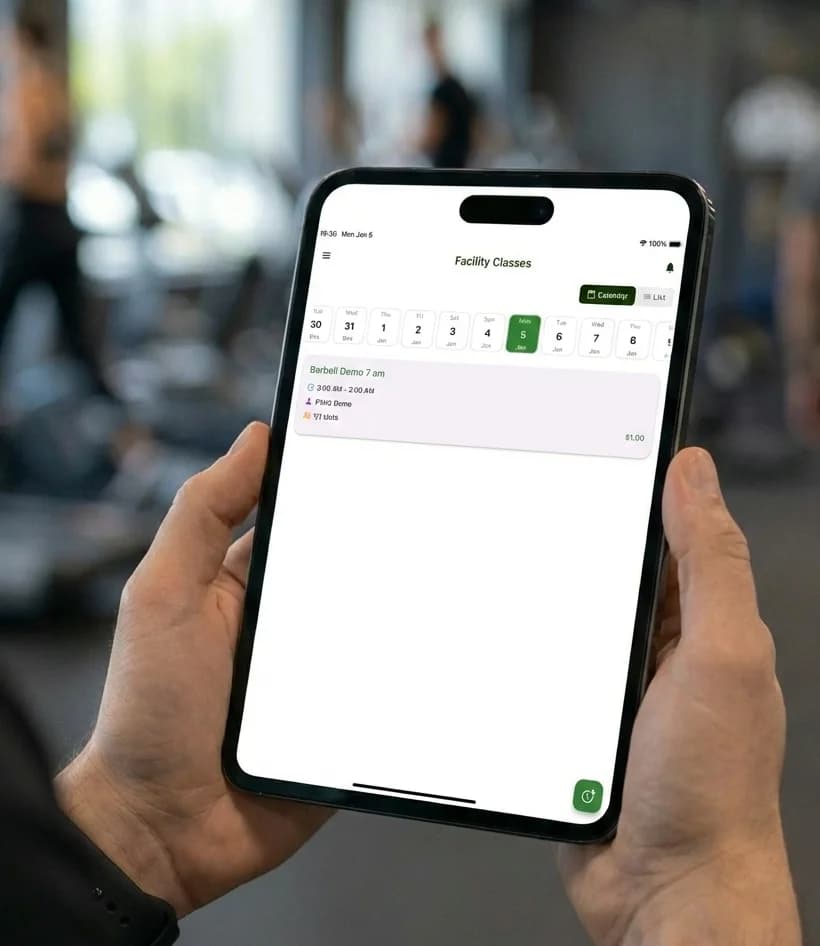
Fitness Class Software: Scheduling Software and Fitness POS for Gyms and Studios
The best fitness class software does more than let someone reserve a spot. It runs the business behind the class: payments, memberships, packages, retail, policies, and check-in. When your scheduling tool is disconnected from your point of sale, you get friction everywhere - front desk lines, manual reconciliations, missed revenue, and a member experience that feels clunky instead of premium.
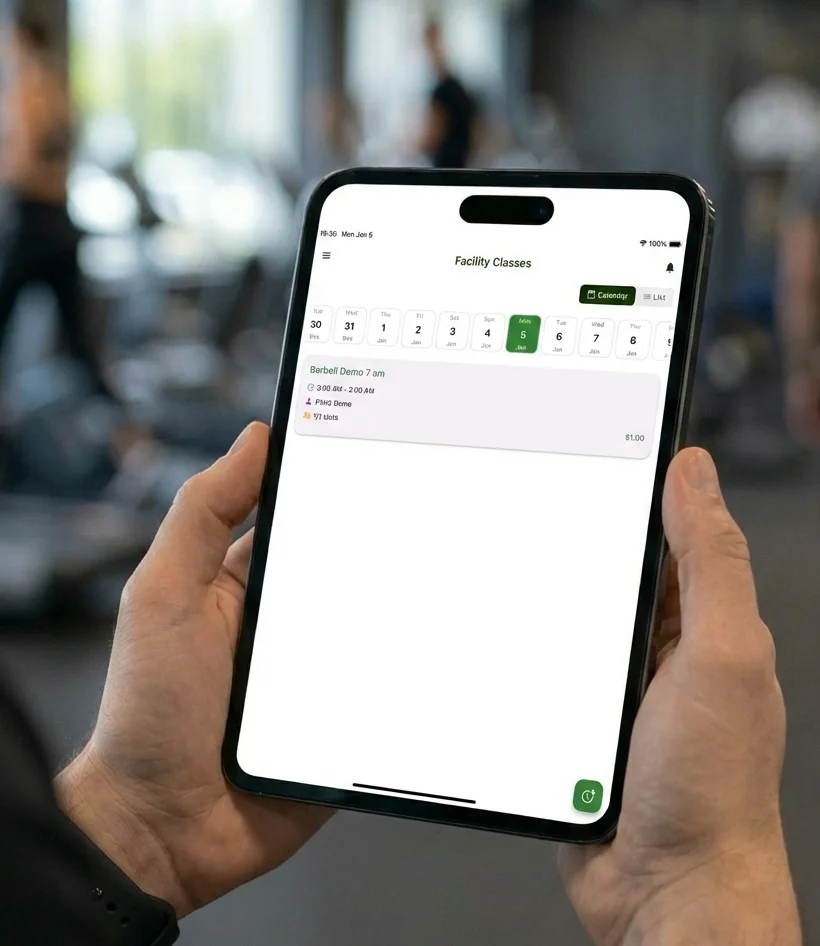
That's why modern operators evaluate fitness class software and Fitness POS together. A gym or boutique studio needs one connected system that can schedule classes, collect money, manage capacity, and make the in-class experience feel polished.
This guide expands what to demand from fitness class scheduling software, what a true Fitness POS should include, and how Fit Viz positions a front-to-back platform built for fitness facilities.
What fitness class software should do (beyond booking)
Most platforms can display a schedule and take reservations. But real fitness class software must support the entire class lifecycle:
- Discovery: members find the right class quickly
- Booking: reserve in seconds, ideally on mobile
- Payment: credits, packs, and memberships apply automatically
- Waitlist management: classes stay full without staff intervention
- Check-in: accurate rosters and fast entry
- In-class delivery: workouts, timing, and flow are clear
- Post-class follow-up: attendance history, engagement, retention nudges
When these steps aren't connected, the staff becomes the glue.
Why Fitness POS matters in fitness class scheduling software
A Fitness POS isn't just a payment button. In gyms and studios, the point of sale needs to handle unique purchasing behaviors:
- recurring memberships (autopay)
- class packs and credits (with expiration rules)
- drop-in payments
- intro offers and trials
- retail items (merch, drinks, equipment)
- discounts, promos, and comp tracking
- refunds, account notes, and payment recovery
If your Fitness POS is separate from your class booking, your front desk ends up reconciling purchases manually - especially when someone buys a pack and wants to book immediately.
The best fitness class software makes booking and buying a single, seamless experience.
What the best fitness class software includes
1) Mobile-first booking (one-tap sign-ups)
Modern members book from their phones, often last-minute. Your fitness class software should offer:
- fast schedule browsing and filters
- saved payment methods and stored credits
- one-tap booking and cancellation
- clear policies shown before confirmation
- push notifications for reminders and waitlist updates
The goal is a frictionless member journey. If booking takes too long, attendance drops.
2) Seamless payments through an integrated Fitness POS
A high-performing Fitness POS inside fitness class software should support:
- memberships, packs, drop-ins, retail
- secure checkout and stored payment methods
- automatic credit deductions when a class is booked
- failed payment recovery workflows
- clear receipts and transaction history
This reduces revenue leakage and improves the customer experience.
3) Visual waitlists and real-time transparency
Waitlists are where many studios lose revenue due to manual processes.
The best fitness class software provides:
- real-time waitlist status visibility for members
- auto-promotion when a spot opens
- confirmation windows so spots don't get stuck
- automated messaging and reminders
- automatic credit/payment processing when confirmed
A strong waitlist system fills classes while staff sleeps.
4) Roster accuracy and fast check-in workflows
Booking and POS don't matter if check-in is slow. Fitness class software should:
- show real-time class rosters
- support quick check-in for staff and coaches
- handle walk-ins cleanly
- flag first-timers or special notes
- keep attendance records accurate automatically
5) The premium layer: in-class experience and visual delivery
In a boutique environment, the class experience is the product. Many platforms stop at the front desk. The best fitness class software extends into the room by supporting:
- screens that display class flow
- timers and transitions
- movement visuals or demos (when applicable)
- a consistent workout experience across coaches
This is where Fit Viz differentiates itself.
Fit Viz: a front-to-back fitness class software system
Fit Viz is designed to connect operations to experience. It combines the administrative strength of a Fitness POS with the member-facing clarity of in-studio visuals.
1) Fit Viz as fitness class software
Fit Viz supports:
- class scheduling, capacity, and recurring schedules
- memberships, packs, and drop-ins
- automated waitlists and policy enforcement
- mobile-first booking for members
- check-in and roster visibility for staff and coaches
2) Fit Viz as Fitness POS
Fit Viz provides POS functionality for:
- memberships and recurring billing
- class packs and credits
- retail transactions
- streamlined checkout workflows
- payment organization and client billing history
That means the booking and payment workflows stay unified.
3) The Fit Viz difference: visual class displays that elevate the session
Fit Viz doesn't stop at booking and payment. It also powers in-studio displays so every session feels more premium:
- the class roster is clear and current
- workouts or class flow can be displayed on screens
- timing and transitions are visible to the whole room
- instructors spend less time managing logistics and more time coaching
This is what "front-to-back" really means: the software runs the business and improves the class product.
Why this matters for gyms and boutique studios
When fitness class software and Fitness POS are unified:
- classes fill faster and stay full through automation
- check-in becomes simpler and more accurate
- staff spends less time troubleshooting payments
- the facility looks and feels more professional
- members experience less friction and more consistency
Fit Viz adds a further upgrade by turning your in-studio screens into part of the experience - not a separate tool.
How to evaluate fitness class software for your facility
When comparing platforms, ask:
- Can members book in a few taps on mobile?
- Are memberships, packs, and payments integrated into the booking flow?
- Do waitlists auto-fill with confirmation windows and messaging?
- Can staff check people in quickly with an accurate roster?
- Does the system support retail and memberships through a true Fitness POS?
- Does it enhance what happens during class, not just before class?
If the platform only answers the first few questions, you may still be stuck managing the class experience manually.
Conclusion
The best fitness class software is not just scheduling. It is an operational engine paired with a great member experience. When you combine class scheduling with an integrated Fitness POS, you reduce friction, protect revenue, and make the studio feel premium from booking through check-in.
Fit Viz is built as a front-to-back system: it unifies scheduling, payments, memberships, and waitlists with in-studio visual class displays that improve class flow and elevate the experience. For gyms and studios that want fewer tools and better execution, Fit Viz is the modern approach.