Gym management software
Gym management software built around booking.
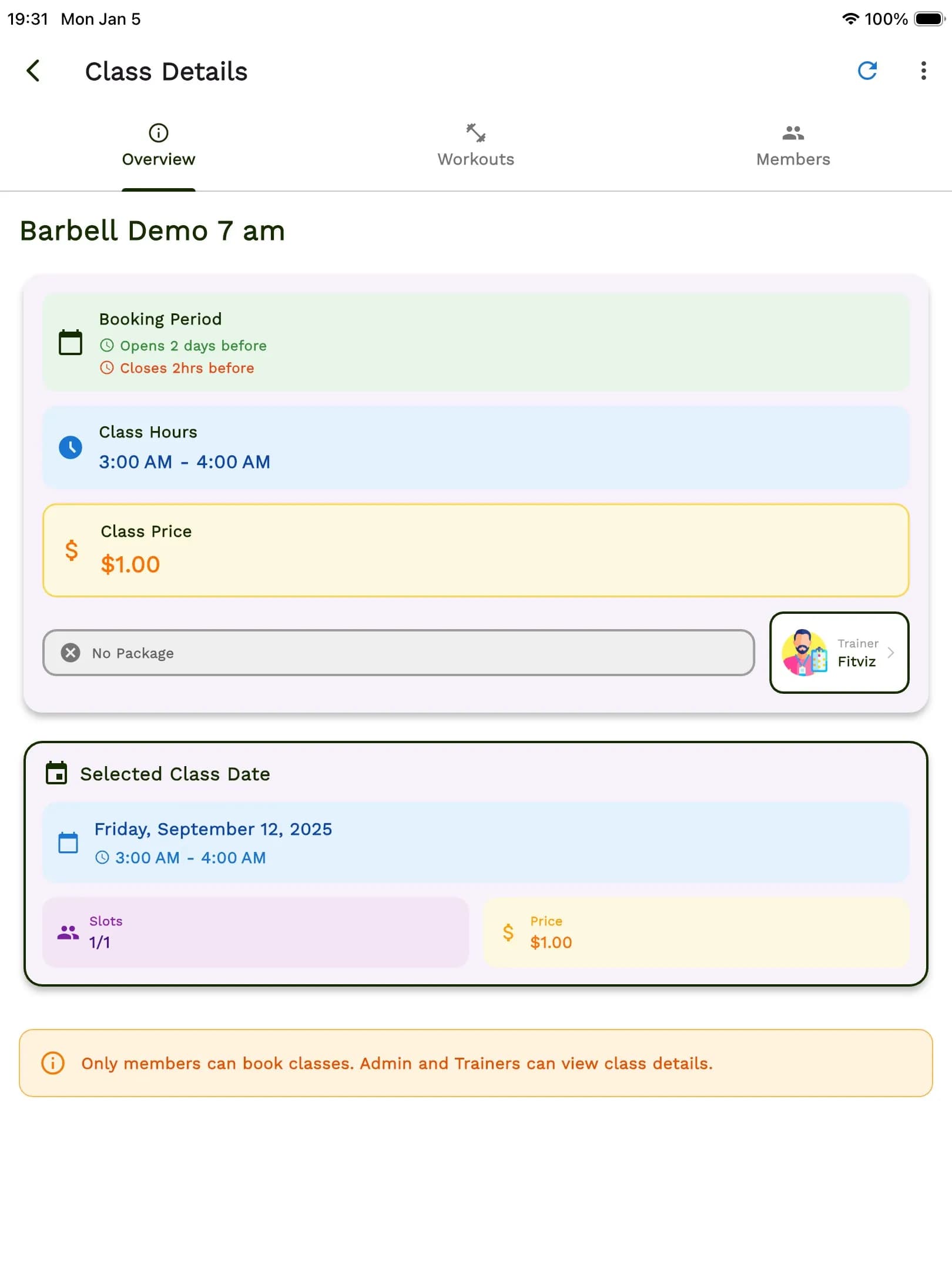
Fit Viz is the gym management software fitness studios actually want — booking, scheduling, and payments built around the members, coaches, and workouts at the heart of your business. Not a repurposed salon scheduler. Not a generic appointment booker. Real gym management, with booking at the core.
Free booking + paymentsNo credit card14-day trial
Trusted by gyms and coaches
The booking battleground
Why booking lives at the center of gym management
Every fitness business fights the same battle: you win a member's motivation for a moment — then your software decides whether you keep it.
Most gym management software buries booking three clicks deep. Fit Viz flips that: booking is the front door, and the rest of the stack — scheduling, payments, attendance, retention — is built around it. Friction shows up as:
“I'll book later.”
They don't. Mobile members abandon when forced to desktop portals or clunky booking pages.
“The app is confusing.”
Clients churn. Complex booking flows break motivation before it converts.
“The waitlist didn't notify me.”
You lose the sale. No automated waitlists = silent revenue leaks.
“Payments didn't go through.”
You lose the class and the trust. Separate payment flows create drop-off.
“I forgot.”
They are a no-show, and habits are broken. Without reminders, attendance dies.
Your gym management software shouldn't create those problems. It should remove them — so coaches can coach, and members can move. That's the Fit Viz standard: streamline the workflow so you can focus on what matters — coaching, connection, and client results.
Social proof
The owners who switched, stayed.
We stopped spending class time on booking issues. Members book faster, coaches coach more.
Kratos Studios
Independent fitness studio
Fit Viz is the first gym management software we've used where the booking feels like an actual product, not an afterthought.
NDB Fitness
Boutique studio
Built by coaches, for coaches
We’re independently built by people genuinely invested in your growth. No egos, no venture-capital agendas, no pressure to push you onto bloated enterprise tiers. Just real humans building alongside you.
Front-door experience
Core booking features
Everything your studio needs to convert intent into attendance — mobile-first, integrated, and built around how real gyms run.
01 · Mobile-first
One-tap reservations
Members should be able to book a class as fast as they can open Instagram. Fit Viz is mobile-first by default — because 80%+ of member booking happens on a phone.
- Clear schedule view (today / week / upcoming)
- Filters by class type, coach, or intensity
- "Book" confirmation without extra steps
- Instant calendar add + reminders
- Online booking 24/7, on any device
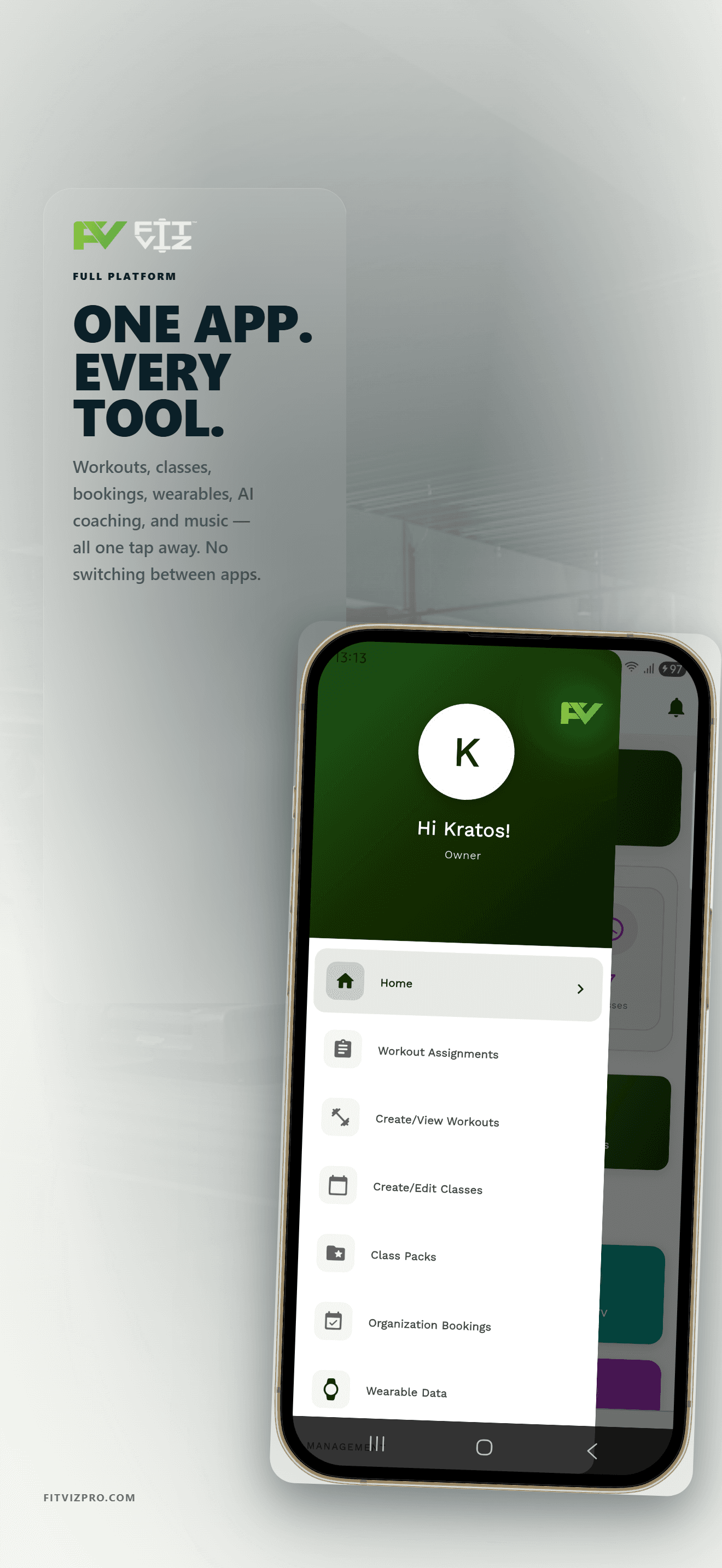
02 · Drop-ins + recurring memberships, one flow
Booking + Payments
Booking and money shouldn't live in different systems. Fit Viz includes recurring memberships right inside the booking experience.
- Drop-in class payments
- Packs and credits (where applicable)
- Recurring memberships and subscriptions
- Automated payment collection during checkout
- Cleaner reporting tied to attendance
Important: Booking + payment collection is free from Fit Viz — no platform fee. Standard processor fees may still apply.
More that's built in
Automated waitlists
That actually fill spots
Empty spots are silent revenue leaks. Fit Viz Pilates studio waitlists keep classes full — without your team babysitting cancellations.
- Auto-fill logic the moment someone cancels
- Configurable claim windows (so spots don't expire too late)
- Instant notifications + fallback to the next person
Spot selection
Bikes, reformers, platforms, stations
For studios where equipment matters, station-based spot selection is non-negotiable. Members reserve what they care about.
- Their favorite bike
- Their preferred reformer number
- A lifting platform
Smart scheduling
Scheduling built for real gyms — not generic calendars
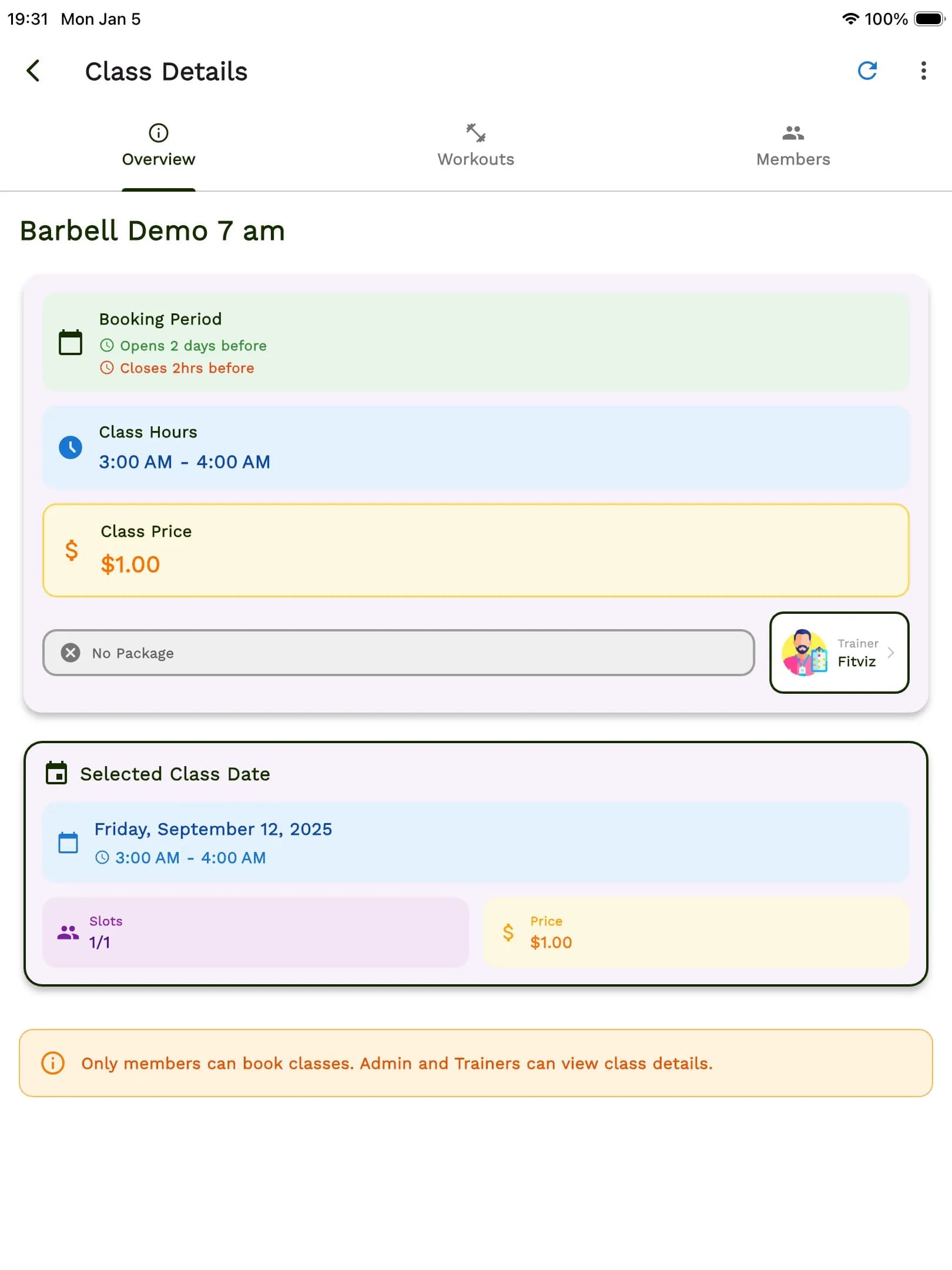
Fitness scheduling isn't a dentist appointment. You manage class capacity, equipment limits, coaches, substitutes, and constraints — all at once. Fit Viz handles it without forcing you into a calendar app that wasn't made for this.
- Recurring class templates
- Quick edits without breaking the whole calendar
- Coach-level permissions and visibility
- Multiple class types and categories
- Smart capacity rules (including equipment-based caps)
- Appointment scheduling for personal training sessions (1:1 or small group)
Purpose-built
Purpose-built for every fitness vertical
Fit Viz scales with the operational reality of your category — not a one-size-fits-all generic scheduler.
Featured vertical
CrossFit gym software
WOD tracking, benchmarks, leaderboards.
What’s inside
- WOD programming + benchmarks
- Class & program leaderboards
- Open / Comp / RX / Scaled tracks
- Spot-by-station capacity
Vertical
Yoga studio software
Room capacity, prop inventory, teacher substitutions.
Vertical
Pilates studio software
Reformer-level spot selection, apparatus management.
Vertical
Personal trainer software
1:1 appointment scheduling, session packages.
Vertical
Martial arts gym software
Belt tracking, curriculum progression.
Vertical
HIIT / bootcamp software
Class caps, rotating coaches.
Vertical
Cycle studio software
Bike selection, heart-rate integration.
Platform depth
Everything else gym management software should do
Booking is the front door — and the rest of the stack is here when your operation grows past it.

Featured
Member & client management
Every member profile in one place — booking history, attendance, payments, notes, waivers. Fast lookup at the front desk, clean context for coaches.
- Unified profiles across bookings + attendance + billing
- Waivers, notes, and flags accessible in one screen
- Fast front-desk lookup and overrides
Attendance & check-in
Real-time class attendance, no-show tracking, and coach-ready class flow — without asking staff to babysit a spreadsheet.
- Real-time class attendance
- No-show tracking + automated fees
- QR-code check-in
Memberships & conversion
Intro offers, new-member funnels, and upgrade prompts tied to booking behavior — the conversion layer most software forgets.
- Intro offers (e.g., "2 weeks unlimited")
- New-member funnels tied to booking signals
- Packs and subscriptions, built in
Analytics that drive decisions
You don't need 50 charts — you need answers. Fit Viz surfaces the signals that move retention.
- Fill rate — which classes fill fastest
- No-shows and at-risk member alerts
- Retention trend, month over month
Multi-coach, multi-program, multi-location
As you grow, complexity grows. Fit Viz scales from a single location to multi-studio operations without forcing you into enterprise tiering.
- Coach-level permissions
- Program / track separation
- Multi-location roll-ups
Distribution
Book your clients from anywhere they find you
Members don't live on one channel. Your booking shouldn't either. Every channel feeds one real-time calendar — no double-bookings, no reconciliation, no lost members.

Branded booking website
Your colors, your logo, your messaging.
Embedded widget
Drop booking into your existing site. No redirects.
Instagram & Facebook
Link-in-bio booking, no extra tools.
Google Business Profile
Clients can book straight from Maps.
Direct share links
Text, email, QR codes — one-tap booking.
Your branded mobile app
On iOS + Android, under your brand.
CRM & marketing integrations
Pipe bookings into the tools you already run.
Your stack
Integrations that fit your stack
Fit Viz plays well with the tools you already run your business on — payments, calendars, marketing, automation, accounting, lead capture.
Payments
Processing fees from provider
Calendars
Marketing
Email automation
Automation
Custom flows
Accounting
Scheduled export
Lead capture
Direct sync
We ship new integrations based on customer demand, not a venture-capital roadmap.
Don't see what you need? Contact us.
Migration
Switching from Mindbody, Vagaro, or another platform?
You're not alone. Most gyms on Fit Viz switched from something else. We make the transition painless.
How we migrate you
Free migration, zero downtime
- Free data migration — we import members, classes, and schedules
- Keep your existing Stripe account — no payment processor change
- Live training for your team — not a wall of help docs
- Run both systems in parallel during the transition if you want
Most gyms are fully switched over in under 2 weeks.
Switching from a specific platform?
From
Mindbody
A multi-vertical platform built for salons + spas + gyms. Fit Viz is built for fitness only.
From
Vagaro
Strong for appointment-only services. Fit Viz covers class programming + attendance + retention.
From
Wodify
CrossFit-first. Fit Viz covers CrossFit plus every other modality you run.
From
PushPress
Solid billing. Fit Viz brings booking + scheduling + display into one stack.
From
Zen Planner
Legacy member management. Fit Viz is built mobile-first for modern members.
From
Glofox
Boutique-focused booking. Fit Viz matches that plus real in-gym experience tooling.
Branded experience
A branded booking experience(your members never leave your brand)
Many legacy booking platforms operate like directories: members browse other facilities, competitors share your ecosystem, and upsells distract from your brand. Fit Viz protects your customer relationship. Members come to your booking experience, inside a branded ecosystem: your programming, your schedule, your results.
Legacy marketplace
Powered by [Generic Booking Co]
Members browse your competitors in the same app. Your brand is a tenant.
Fit Viz
Your brand · Your schedule · Your members
Full control. Full relationship. No middle-of-the-funnel competitor ads.
- Branded environment — no "Powered by [Other Brand]" banners (paid tiers)
- Your schedule and your experience
- Your messaging and your policies
- Your member relationship — protected, not harvested
In-gym experience
Booking meets the in-gym experience.
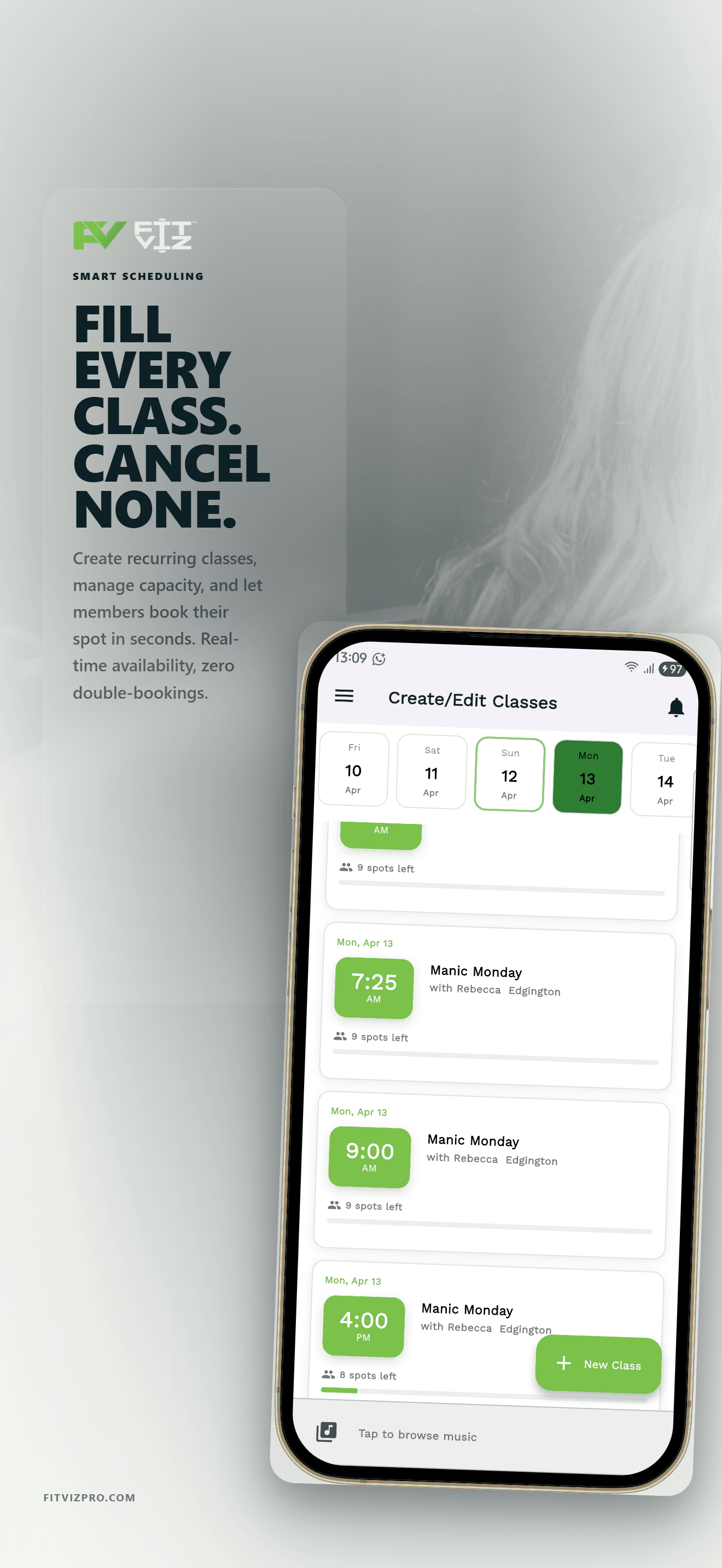
Most gym management software stops at “reservation confirmed.” Fit Viz keeps going — because the gym floor is where your product is actually delivered.
With Fit Viz, you control what members see in the booking flow and on the gym floor with simple toggles:
Show Workouts
Display the real workout plan inside the booking flow before they arrive.
Show Booked
Member list visible (community + accountability) or hidden (privacy-first).
Send Workout
One-tap "Send me the workout" for members who missed class.
No Extras
Just reserve spots. Keep it simple when that's what your studio needs.
These member-visibility controls are built into Fit Viz and are free. No extra tools. No extra work.
Booking ↔ Gym Floor
Frequently Asked Questions
Both. Fit Viz is gym management software designed around the member booking experience — scheduling, payments, attendance, memberships, and reporting — while connecting directly to the in-gym experience when paired with Fit Viz workout displays.
Mindbody and Vagaro are multi-vertical platforms built for salons, spas, and gyms — so the fitness features are compromises. Fit Viz is built for fitness only: spot selection for bikes and reformers, attendance tracking tied to retention, and booking that links directly to workouts and gym-floor displays. We also don't charge a platform fee on bookings or payments.
Yes. Fit Viz does not charge a platform fee for booking or payment collection. Standard payment processing fees from your payment provider (Stripe, Square, etc.) may still apply.
Yes. Fit Viz supports every fitness vertical with purpose-built features for each — CrossFit programming and leaderboards, yoga room capacity and prop inventory, Pilates reformer spot selection, and 1:1 personal training appointment scheduling.
Yes. Spot selection is supported, letting members reserve equipment or stations in advance. This is one of our most-loved features for Pilates reformer studios and cycle studios.
Yes. Fit Viz supports recurring payments and subscriptions integrated directly into the booking flow — not bolted on through a third-party billing tool.
We migrate your members, classes, schedules, and membership setup for free. Most gyms are fully switched over in under 2 weeks with zero downtime.
Stripe, Square, Google Calendar, Apple Calendar, Outlook, Mailchimp, Klaviyo, Zapier, QuickBooks, Xero, and Facebook Lead Ads — with more shipping based on customer demand.
Habit monitoring, AI-driven retention signals, and engagement automations are available under our paid tier. Core booking and payment collection remain free across all plans.
Further Reading
Buying guides
Comparisons
Vertical guides
Tech guides
Give members clarity.Give coaches time back.
Your gym management software shouldn’t feel like “admin.” It should feel like the easiest part of your business.
If you want gym management software that:
01
Converts intent into attendance
02
Fills classes with auto-waitlists
03
Collects payments cleanly
04
Tracks attendance automatically
05
Connects to the gym floor
06
Protects your brand and your member relationship
Fit Viz is built for you.